Wash the probe with hot, soapy water as soon as you finish using it, rinse it, dry it, then sanitize the metal probe only. Keep the body, display, cable, and electronics dry throughout. That wash-then-sanitize order matters because sanitizers work on clean surfaces, and residue left behind can shield germs from the sanitizer you apply afterward.
This guide covers instant-read probes and leave-in or smart probes, explains what to keep dry, and shows what to do when you move between raw poultry, beef, pork, and ready-to-eat foods. For water resistance, dishwasher safety, and approved cleaning products, check your thermometer’s manufacturer instructions, since ratings vary by model. If you are cooking pork and want to know the target temperatures for each cut, this pork temperature guide covers them.
Supplies for Washing the Probe
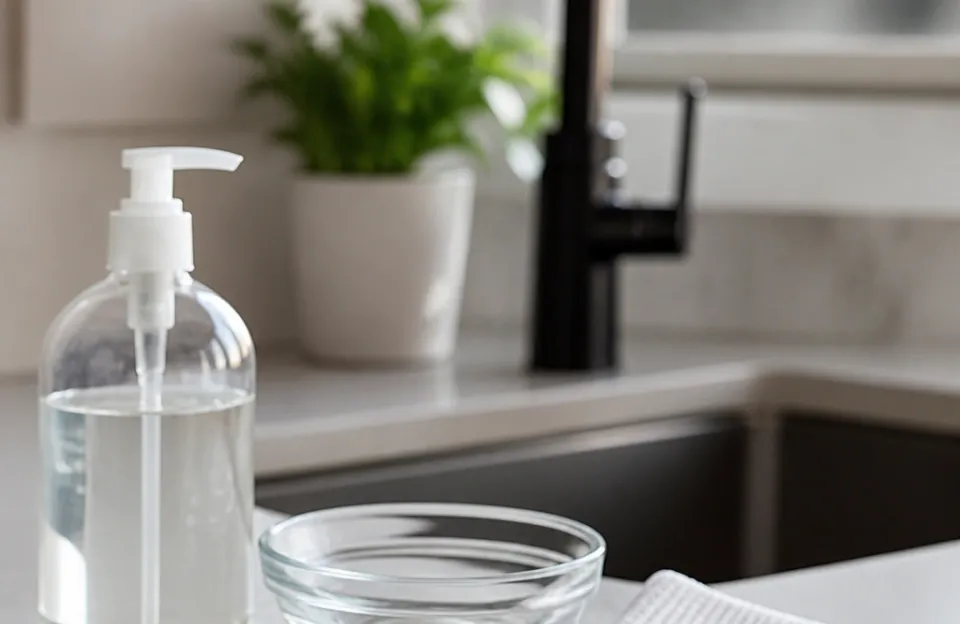
Gather these supplies before you start so the wash and sanitize steps happen back to back.
Most kitchens already have what you need:
- Hot water and dish soap
- A soft sponge or dishcloth
- Paper towels or a clean cloth for drying
- A sanitizing option you can verify as food-safe (see the sanitizing section below)
Avoid abrasive scrubbers on the probe stem. They can scratch the metal, and a scratched surface is harder to clean thoroughly.
Washing Off Grease and Food Residue
Wash utensils and other items that touched raw meat with hot, soapy water after preparing each food item. The probe is no exception, and it usually needs this wash even when it only briefly touched the meat.
Hold the probe by the body or handle and keep the electronics well away from the running water. Rub the metal stem with soapy water using your fingers, a soft sponge, or a cloth, working from the tip up toward where the stem meets the housing. Pay attention to the groove where the stem joins the body, since juices collect there.
Rinse the stem under running water while keeping the body dry, then dry the whole probe with a paper towel or clean cloth. Drying matters because water left on the stem dilutes whatever sanitizer you apply next. Moisture near the connector or battery compartment can also cause problems later, including the kind of intermittent wireless dropouts covered in this guide to wireless meat thermometer connection issues. If your thermometer’s manual gives specific drying or water-exposure limits, follow those over this general guidance.
If you are checking the same piece of meat repeatedly during one cook, a quick wipe between insertions reduces the chance of carrying juices from the exterior to a freshly pierced spot. Clean the probe as described here before you use it on anything else, including a different protein or any ready-to-eat food.
How to Sanitize a Meat Thermometer After Washing
Sanitizing is the second step, not a replacement for washing. Once the stem is clean, rinsed, and dry, apply a sanitizer to the metal stem only, following the product’s label directions for concentration and contact time.
Because sanitizer products and food-contact sanitizing standards vary, use one of these approaches and check the label or an official food-safety resource for the exact amount and how long the surface must stay wet:
- A sanitizing solution mixed according to the label or an official food-safety source
- A food-contact sanitizer wipe, used as directed
- A commercial kitchen sanitizer spray approved for food-contact surfaces
Let the sanitizer work for the full contact time the product specifies. Contact time is a required part of sanitizing, not an optional waiting period, and cutting it short can leave the job incomplete. If you cannot confirm a product is approved for food-contact surfaces, or you cannot find its concentration and contact time, do not use it on the probe.
Once sanitizing is done, handle the probe by the body and set it somewhere clean to air dry. Do not set a sanitized stem down on a dirty countertop, cutting board, or towel, since that reintroduces germs.
If you switch between proteins during a cook, wash and sanitize the probe before it touches the next type of meat. Raw meat, poultry, seafood, and eggs can spread germs to ready-to-eat food unless you keep them separate, and a probe that moved from raw chicken to a cooked roast can carry those germs with it. This separate-and-clean habit applies to any tool that contacts raw meat, as explained in this guide to cleaning your thermometer probe between different meats.
Cleaning Instant-Read Probes Versus Leave-in and Smart Probes
The two main thermometer types need slightly different handling because their electronics sit in different places.
Instant-Read Thermometers
- Wash the metal stem with hot, soapy water, rinse, and dry.
- Sanitize the stem only.
- Keep the folding hinge, display housing, and battery compartment away from running water and never submerge the body.
- Fold or cap the probe for storage once it is dry.
Leave-in and Smart Thermometers
- Wipe or wash the metal probe stem carefully, keeping water away from the cable, plug, and connector port.
- Never soak the cable or the connector. Moisture in those parts can damage the electronics and interfere with the wireless signal.
- Wipe the cable with a damp cloth if juices splashed on it, then dry it immediately.
- Sanitize the metal probe stem using the same contact-time approach as above.
- Let every part dry fully before plugging the probe back into its base or transmitter.
Your thermometer’s manual takes precedence over these general steps for water resistance, dishwasher safety, and approved cleaning products, since ratings vary by model.
Some manufacturers permit dishwasher cleaning for certain removable parts or specific models, while others prohibit it entirely. Check your manual before assuming your thermometer is dishwasher safe, and see this guide to whether a meat thermometer is dishwasher safe for more on that question.
Can I Put My Meat Thermometer in the Dishwasher?
Only if the manufacturer explicitly says that component is dishwasher safe. Dishwashers expose probes to high heat and forceful water, and some models cannot withstand either, so check your manual before assuming your thermometer is dishwasher safe. If the manual does not address dishwasher use, hand wash the metal stem instead.
Handling Wireless and Smart Thermometers
Wireless and smart thermometers have more parts that can be harmed by moisture than a simple instant-read probe.
Keep these habits:
- Wash and sanitize the metal probe only.
- Wipe the cable and connector with a barely damp cloth, then dry them at once.
- Never rinse the transmitter, base unit, or display under the tap.
- Let the probe and cable air dry completely before reconnecting them.
Check your thermometer’s manual for any model-specific water-resistance or cleaning limits, since these vary by brand and model.
If your wireless thermometer starts dropping its connection after cleaning, moisture in the connector port is one possible cause. Unplug the probe, let the port air dry fully, and reconnect it before assuming the thermometer has failed. If the connection still drops after the port is dry, check the manufacturer’s troubleshooting guidance for your model.
What Happens When You Skip Proper Cleaning
Skipping the wash step leaves grease and food residue on the stem. That residue can shield germs from the sanitizer you apply, so a quick sanitizing wipe alone is not a substitute for washing first.
The bigger risk is cross-contamination. Germs that cause food poisoning can survive in many places and spread around your kitchen. A probe that touched raw chicken and then a bowl of salad, a block of cheese, or a cooked roast can transfer those germs directly. Raw meat, chicken and other poultry, seafood, and eggs can spread germs to ready-to-eat food unless you keep them separate. Following the same separation logic you use for cutting boards and plates keeps the probe from becoming a bridge between raw and ready-to-eat foods.
This is also why you should not rely on color or texture to judge whether meat is done. You can’t tell if food is safely cooked by checking its color and texture (except for seafood), and the only way to tell is to use a food thermometer. A thermometer you trust is only as good as its cleanliness, and safe internal temperatures are the target: 145°F for whole cuts of beef, veal, lamb, and pork with a 3-minute rest, 160°F for ground meats, and 165°F for all poultry, leftovers, and casseroles. A probe that looks clean but still carries residue or germs undermines the very check you are using to keep the meal safe. This is the same principle behind why meat can look done before it’s safe.
Wash your hands for at least 20 seconds with soap and warm or cold water, and always wash them after handling uncooked meat, chicken and other poultry, seafood, flour, or eggs. Hand hygiene around the thermometer matters just as much as the probe itself.
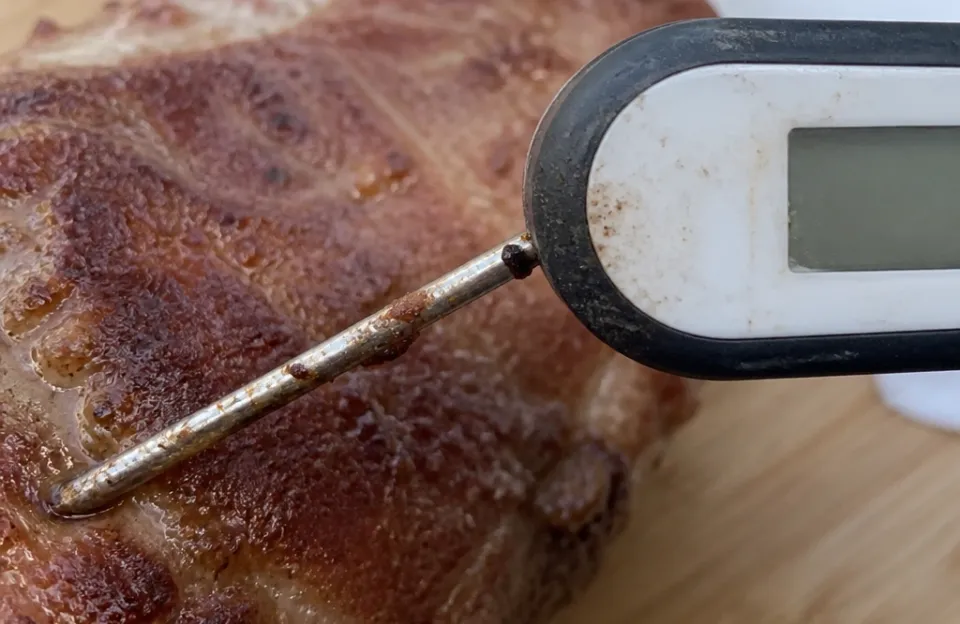
Residue left on the stem can shield germs from the sanitizer you apply afterward, so the wash step is not optional.
Storing the Probe Safely
A clean probe can pick up germs again if you store it carelessly.
- Let the probe dry completely before storing it, since trapped moisture can encourage rust.
- Use the protective sleeve or case that came with the thermometer, or a clean, dry drawer compartment.
- Keep the probe away from raw meat and its juices, including in the refrigerator or cooler.
- Do not coil a leave-in cable tightly around a wet probe.
If your thermometer did not include a case, a rigid one designed to hold the probe without bending it will protect the stem between uses.
Keeping Your Readings Accurate and Safe
A few habits keep the probe both sanitary and dependable:
- Wash, rinse, dry, and sanitize the stem after every use on raw meat.
- Wash and sanitize again before the probe touches any different protein or any ready-to-eat food.
- Keep hot soapy water and a clean cloth within reach so cleaning is a quick step, not a chore you skip.
- Check the stem for rust, pitting, or a bent tip each time you clean it. A damaged surface cannot be cleaned or sanitized reliably, so replace the probe. If you need to source a replacement, see this guide to meat thermometer probe replacement.
When to Replace the Probe
Inspect the metal stem after washing and drying. If you see surface rust, pits, deep scratches, or a crack, the protective surface may be compromised. Rough, pitted areas are harder to clean thoroughly, and a sanitizer may not reach germs lodged in them. If light scrubbing does not remove the rust completely, check your thermometer’s manual or the manufacturer’s guidance on whether the probe can still be used safely. If you cannot confirm it is safe, retire the probe and replace it.
The same goes for a probe that reads inconsistently after cleaning, or one whose connector no longer seats firmly. An inaccurate thermometer can lead you to misjudge whether food has reached a safe internal temperature, so treat a probe you cannot trust as a problem to resolve, not just an inconvenience. Check the manufacturer’s guidance for your model before deciding whether to replace it.
Frequently Asked Questions
How Often Should I Wash and Sanitize My Meat Thermometer?
After every use on raw meat, and again before it touches a different protein or any ready-to-eat food. If the probe only ever goes into one piece of meat during a single cook, clean it thoroughly once the cooking is done, but clean it before it touches anything else.
Can I Just Wipe the Probe with a Paper Towel Between Readings?
A dry wipe removes visible juices but does not clean or sanitize the surface. It is better than nothing when you are moving between spots on the same piece of meat, but wash, rinse, dry, and sanitize the stem before it contacts another food.
Is Hot Water Alone Enough to Sanitize the Probe?
No. Hot soapy water is the washing step, and you still need a sanitizing step afterward with the correct contact time for whatever sanitizer you use. If you cannot confirm a sanitizer’s concentration and contact time, follow the manufacturer’s cleaning instructions for your thermometer instead.
What Should I Do If Water Gets into the Connector or Display?
Stop using the thermometer, unplug the probe if it is detachable, and let the affected parts air dry completely before trying again. If the display stays fogged or the readings look wrong after drying, check the manufacturer’s guidance for your model, since the thermometer may need replacing.
Do I Need to Sanitize a Brand-New Thermometer Before First Use?
Wash, rinse, dry, and sanitize the metal stem before the probe touches food for the first time. As a precaution, cleaning a new probe before first use removes any residue left from manufacturing or shipping, and starting with a clean, sanitized stem keeps the first reading as safe as every one after it. Check the manufacturer’s instructions for any first-use cleaning steps specific to your model.
The Bottom Line
Clean your meat thermometer the same way you would clean any tool that touches raw meat: hot soapy water first, a full rinse, a thorough dry, then a sanitizer on the metal stem with the contact time the product requires. Keep the body, display, cable, and connector dry, follow your manufacturer’s instructions on water resistance and dishwasher use, and replace the probe if rust or pitting will not come off. That routine takes about a minute and is what keeps the thermometer from working against the food-safety steps it is meant to support.