You’re standing over a hot grill, the steak is searing perfectly, and you reach for your digital thermometer to check the pull temp. You press the power button, but the screen stays blank. Or worse, it flickers once and dies.
You just replaced the battery last month, so why is it dead again?
Quick Answer: Most meat thermometers drain batteries quickly due to poor storage habits, such as keeping them in high-heat environments or failing to fully power them down. Components like backlit screens, Bluetooth connectivity, and moisture-damaged sensors can also cause a parasitic drain that empties the battery even when the device isn’t in use.
The Core Reasons for Rapid Battery Drain
Digital meat thermometers are surprisingly sensitive electronic devices. While they feel like rugged kitchen tools, the circuit boards inside aren’t much different from those in a remote control or a digital watch. When your battery life drops from months to mere weeks, it’s usually because something is forcing the processor to work harder than it should.
A common culprit is the environment in the kitchen. Electronics hate heat and humidity. If you store your thermometer in a drawer right next to the oven or on a magnetic strip above the stove, the ambient heat can cause the battery chemistry to degrade.
High heat speeds up the internal chemical reactions in alkaline and lithium cells, leading to “self-discharge.”
Another factor is the quality of the sensor itself. As the probe ages or gets dunked in water, the wiring inside can develop tiny shorts. These shorts don’t always break the thermometer, but they can create a constant power draw as the device tries to read a signal from a faulty probe.
The Impact of Screen Brightness and Backlights
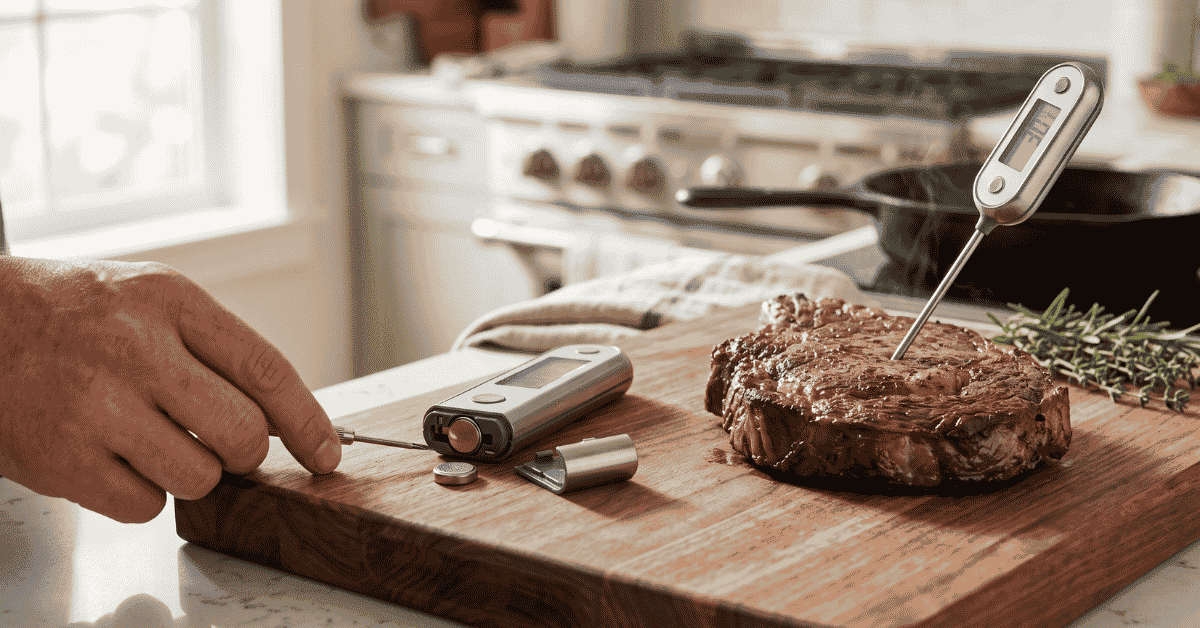
Backlit displays are one of the biggest power consumers in any handheld gadget. If your thermometer has a “glow” mode that stays on for the entire cooking session, you’ll burn through juice at five times the normal rate. Many users leave the light on because it’s hard to read the small numbers in a dark kitchen, but that light is powered by the same tiny coin cell (like a CR2032) or AAA battery that runs the sensor.
Wireless and Bluetooth Connectivity
Leave the Bluetooth or Wi-Fi sync on, and you’ll see the battery icon drop fast. These features require the thermometer to constantly “ping” your phone or home network to maintain a connection. Even if you aren’t looking at the app, the radio inside the thermometer is hunting for a signal.
If the signal is weak, perhaps because of a thick smoker lid or a brick wall, the chip cranks up the power to find the connection, emptying the battery in a single afternoon.
Practical Steps to Save Your Battery
You don’t have to keep a 20-pack of batteries in your pantry if you change how you handle the tool. Most battery issues are preventable with minor adjustments to your routine.
- Manual Power Down: Many thermometers have an “auto-off” timer, but these timers often wait 10 to 30 minutes before shutting down. That’s a lot of wasted energy. Get into the habit of clicking the off button the second you pull the probe from the meat.
- Remove Batteries for Storage: If you only grill once every few weeks, don’t leave the batteries inside. This prevents “parasitic drain,” where the internal clock or memory pulls a tiny amount of power 24/7. It also protects your device from battery acid leaks, which can ruin the metal contacts.
- Cool, Dry Storage: Keep the device in a cool kitchen drawer away from the dishwasher or stovetop. Moisture is a silent killer for thermometer circuits. If steam gets inside the casing, it can Bridge connections on the board, causing the battery to drain even when the unit is off.
- Clean the Probe Only: Never submerge the entire thermometer in water unless it has a high IPX rating (waterproof rating). Even then, hand-wiping the probe with a damp cloth is safer. Water reaching the battery compartment or the wire junction is a top cause of sudden power failure.
Edge Cases: When It’s Not Your Fault
Sometimes, the battery isn’t actually dead, the device just thinks it is. Cheap thermometers often use low-quality voltage regulators. These components measure how much power is left in the battery.
As the thermometer gets hot during use, the resistance in the wires changes, which can trick the regulator into showing a “Low Battery” warning even if the cell is mostly full.
There is also the “Cold Weather Factor.” If you are winter grilling or using a smoker in sub-freezing temps, your batteries won’t perform well. Chemical reactions inside the battery slow down in the cold, leading to a temporary voltage drop. You might see the screen fade out in the snow, but if you bring the thermometer inside and let it warm up, it will often “magically” come back to life without a battery change.
Another rare but real issue is the “Always-On” sensor. Some premium thermometers are designed to be instant-read the moment you unfold them. They use a small magnet or a physical switch in the hinge.
If that hinge gets gunky with grease or carbon buildup, it might not fully depress the switch when folded. This means the thermometer is technically “on” inside your drawer for three days straight.
Common Mistakes and Misconceptions
Many people blame the brand of battery, but the issue is usually the device or the user.
- Using Rechargables: Putting NiMH rechargeable batteries in a device designed for 1.5V alkalines can cause issues. Rechargeables often sit at 1.2V. The thermometer might read this as a “half-dead” battery right from the start, causing it to shut down early.
- Mixing Old and New: Never swap just one battery in a device that takes two or more. The old battery will “drag down” the new one, leading to a very short lifespan for the pair.
- Leaving Probes Plugged In: For “leave-in” style thermometers with separate probes, leaving the probe plugged into the base unit can sometimes keep the internal processor in an “active” state, preventing it from entering deep sleep mode.
- Over-tightening Battery Covers: If the battery door is screwed on too tight or too loose, it can interfere with the contact springs. This causes intermittent power, which looks like a dead battery but is actually just a bad connection.
Quick-Reference: Battery Life Expectations
| Feature Type | Expected Battery Life | Main Drain Factor |
|---|---|---|
| Basic Instant-Read | 1–2 Years | Leaving it powered on |
| Backlit Instant-Read | 6–12 Months | Overuse of the light |
| Bluetooth Leave-in | 100–200 Hours | Signal distance/interference |
| Wi-Fi Cloud-Connected | 50–100 Hours | Constant network syncing |
Useful Standards for Comparison
When looking at why a device might be failing, it helps to understand the IEC 60529 standards, commonly known as IP ratings. Most kitchen thermometers are rated IP65 or IP66. This means they can handle a splash, but they aren’t airtight.
If you live in a high-humidity area or store your thermometer in a damp shed near the barbecue, “humidity creep” will eventually short the battery terminals.
Frequently Asked Questions
Does the heat from the grill drain the battery faster?
Yes. High heat increases the internal resistance of the battery and speeds up the discharge of the chemicals inside. If the body of the thermometer (where the battery sits) gets too hot to touch, you are definitely shortening the battery life.
Why does my thermometer say “Low Battery” but then work fine later?
This is usually due to temperature fluctuations. Heat from the grill or cold air outside can temporarily mess with the battery’s voltage output. Once the device returns to room temperature, the voltage stabilizes and the warning disappears.
Are lithium batteries better for meat thermometers?
Lithium coin cells (like CR2032) hold their charge longer in storage than alkaline AAAs. However, they are also more expensive. For high-drain devices like Bluetooth thermometers, lithium batteries are better because they handle temperature swings more effectively.
Can a dirty probe cause the battery to die?
Indirectly, yes. If grease or carbon builds up where the probe meets the housing, it can create a “bridge” that allows a tiny amount of electricity to leak out. Always keep the connection points clean and dry.
Worth Remembering
A meat thermometer is a precision instrument, even if it’s covered in grease and smoke. If yours is eating batteries, start by checking the “auto-off” function and your storage location. Moving the device away from the heat and manually turning it off after every use will solve 90% of drain issues.
If the problem persists even with the batteries removed during storage, you likely have a hardware short or moisture damage inside the casing, and it might be time for a replacement.