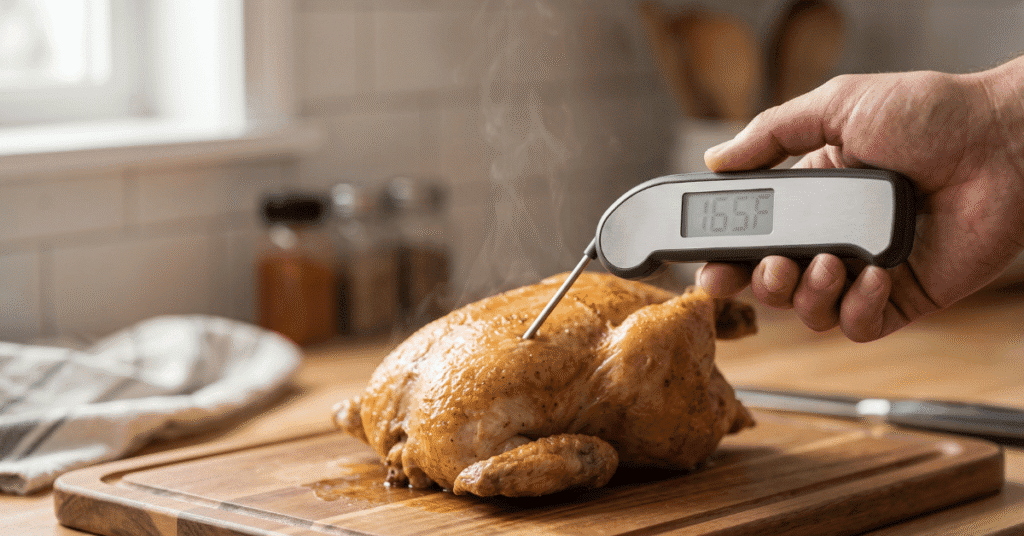
You’re standing over a beautiful ribeye or a holiday turkey, and the digital display won’t budge. It says 75°F while the meat sizzles, or maybe it’s frozen at a bone-chilling 32°F in a pot of boiling water. You tap the screen, swap the batteries, and wait, but the numbers stay locked in place.
It’s a frustrating moment that can turn a perfect dinner into a guessing game of “is it raw or ruined?”
Quick Answer: A meat thermometer usually gets stuck due to a damaged probe wire, moisture inside the sensor, or a dead battery that lacks the power to update the LCD. In analog dial models, the internal bimetallic coil often gets snagged or loses its “spring,” requiring a manual reset or a simple physical tap to loosen the needle.
Why a Static Reading Happens
When a thermometer stops updating, it usually means the communication link between the heat and the display is broken. Whether you use a digital instant-read or a leave-in probe style, the device relies on a tiny electrical change to calculate temperature. If that signal is interrupted, or if the physical parts in a dial version can’t move, the screen just shows the last “good” number it recorded.
Digital thermometers use a thermistor, which is a resistor that changes its electrical resistance based on heat. The internal computer reads this resistance and turns it into a number. If the wire inside the probe breaks from being bent too sharply, the circuit stays open, and the display “hangs” on its last known value.
Analog thermometers are much simpler but have their own mechanical quirks. They use two different metals bonded together in a coil. As they heat up, the metals expand at different rates, forcing the coil to unwind and move the needle.
If grease or grime gets inside the dial face, it can glue the needle to the glass or the background plate.
The Problem with Moisture and Steam
Steam is the hidden enemy of kitchen electronics. Even though many probes are “water-resistant,” they are rarely fully waterproof where the wire meets the metal neck. If you submerge a probe in a sink or if heavy steam from a Dutch oven gets inside the housing, it creates a short circuit.
This moisture tells the thermometer that the resistance is constant, even when the heat goes up. This leads to a frozen display. Often, you’ll see the temperature stick at an unusually high number, like 200°F, even when it’s sitting on your counter.
Dry heat usually fixes this, but the “stuck” feeling is a classic sign of internal dampness.
Battery Low-Voltage Errors
Sometimes the fix is even simpler than a broken sensor. Digital displays require more power to change the pixels than they do to just keep them lit. As a button-cell battery dies, it might have just enough juice to power the “888” startup screen or hold a single number, but not enough to process new data from the probe.
If your screen looks dim or the numbers seem “ghostly,” the processor has likely crashed. It’s like a computer that freezes when the power flickers; it can’t update the data stream, so the temperature stays the same.
Physical Obstructions in Dial Thermometers
Analog thermometers are common for deep frying or oven roasting, and they are notorious for sticking. Because they are mechanical, any friction stops the needle dead in its tracks.
-
Grease Buildup: Splattered oil can seep under the rim of the dial. Once it cools, it acts like a light glue.
-
Bent Needles: If the thermometer was dropped, the thin metal needle might be touching the glass. Even the slightest touch will stop it from rotating.
-
Recalibration Nut Issues: Most dial models have a nut on the back. If this is too tight or has vibrated out of place, the internal coil can’t spin freely.
A quick way to test a dial thermometer is the “tap test.” Give the glass a firm but gentle flick with your fingernail. If the needle jumps 5 or 10 degrees instantly, the internal mechanism is catching on something.
How to Fix a Stuck Temperature Reading
Fixing a stuck reading depends on the type of thermometer you have. Before you toss it in the trash, try these specific steps to reset the sensor.
For Digital and Probe Models
-
Unplug and Replug: For leave-in thermometers, pull the jack out of the transmitter and plug it back in firmly. A loose connection often “freezes” the display.
-
The Battery Pull: Remove the batteries for a full 60 seconds. This drains the capacitors and forces the internal chip to reboot.
-
The Oven Dry-Out: If you suspect moisture in the probe, place just the probe (not the plastic display!) in a 200°F oven for about 30 minutes. This can evaporate trapped micro-droplets.
-
Check for Kinks: Straighten the wire completely. Sometimes a sharp bend breaks the internal copper, and moving it back into a straight line can temporarily restore the connection.
For Analog Dial Models
-
The Ice Bath Reset: Put the stem in a glass filled with crushed ice and just a little water . After three minutes, it should read 32°F (0°C). If it’s stuck at a different number, use a small wrench to turn the nut on the back until the needle hits 32.
-
Clean the Rim: Use a bit of white vinegar or degreaser on a cotton swap to clean the edge where the glass meets the metal. This removes the “glue” that might be holding the needle back.
-
The Boiling Water Test: If the ice bath doesn’t move it, try boiling water. According to NIST standards , water boils at 212°F (100°C) at sea level. The sudden jump from room temp to boiling usually forces a stuck coil to snap into action.
When the “Stall” is Actually the Meat
It is worth noting that sometimes the thermometer isn’t broken at all; the meat has simply stopped rising in temperature. This is a common point of confusion for backyard BBQ enthusiasts.
If you are smoking a large piece of meat like a pork shoulder or a brisket, you will hit a point called “The Stall.” This usually happens around 150°F to 170°F. During this time, moisture evaporates from the surface of the meat, cooling it down as fast as the smoker heats it up.
Your thermometer might stay at 160°F for two, three, or even four hours. Many people think their device is stuck and try to recalibrate it, but it’s actually working perfectly. Before you assume the tool is broken, pull it out of the meat and see if the temperature drops in the open air.
If it drops, the thermometer is fine, you’re just stuck in a stall.
Edge Cases: Variations in Tech
Not all thermometers “stick” for the same reasons. Infrared (laser) guns and high-end thermocouples have specific failure modes.
Infrared (Laser) Thermometers
These don’t actually use a probe. They measure the energy radiating off a surface. They can appear “stuck” if you are trying to measure a shiny surface like a stainless steel pot or aluminum foil.
The sensor gets confused by the reflection and just gives a default read. To fix this, put a piece of masking tape on the pot or use a cast-iron skillet, which has high “emissivity” and provides a real reading.
Thermocouples vs. Thermistors
High-end “Professional” instant-read thermometers often use thermocouples. These are much faster but more sensitive. If the tip of a thermocouple is damaged by being dropped onto a hard floor, the two wires inside can fuse together too early.
This results in a thermometer that reads the “room temperature” perfectly but never goes up when inserted into hot food, because it’s sensing the temp at the break point, not at the tip.
Common Mistakes When Handling Probes
Many people accidentally kill their thermometers through small habits that seem harmless.
-
Submerging the “Crimp”: The spot where the wire enters the metal probe is the weakest point. Even “waterproof” models can fail if soaked in a sink. Always wipe the probe with a damp cloth instead of dunking it.
-
Closing the Grill Lid on the Wire: Heavy grill lids can pinch and “guillotine” the internal wires. This often leads to a stuck or “LLL” error message.
-
Exceeding the Heat Limit: Most consumer probe wires are rated for 500°F to 700°F. If you use them for high-heat searing or let the wire touch a glowing charcoal briquette, the insulation melts, and the reading will lock up instantly.
-
Storing While Coiled Tightly: Wrapping the wire tightly around the base of the unit creates “memory” in the metal. Over time, this leads to internal fractures that cause the display to freeze intermittently.
Frequently Asked Questions
Why does my thermometer stay at 100 degrees even in cold water?
This usually means the internal sensor has shifted out of alignment or there is a “short” in the wiring. In digital models, a constant, unchanging number regardless of the environment is a sign that the circuit is bridged, often by water or melted plastic inside the probe.
Can I fix a thermometer that was dropped in the soup?
Maybe. If it’s a digital unit, turn it off and take the batteries out immediately. Put it in a bag of silica gel packets or in a warm, dry spot for 48 hours.
Do not use a hairdryer, as high heat can melt the LCD screen. If it’s a dial thermometer, it’s likely fine as long as no liquid got inside the glass.
Is there a “reset” button on most meat thermometers?
Most digital units do not have a dedicated reset button. You “reset” them by removing the power source (batteries) or by unplugging the probe. Some high-end models have a tiny pinhole on the back that you can press with a paperclip to restore factory settings.
How do I know if the probe is dead or just the base unit?
If you have a multi-probe unit, swap the “stuck” probe into a different port. If it stays stuck on the new port, the probe is broken. If the new port works correctly, the base unit’s original port is likely damaged or dirty.
Worth Remembering
A stuck thermometer is usually a physical or electrical “break” rather than a total hardware failure. Before you buy a replacement, check the wire for kinks, try a fresh set of name-brand batteries, and perform an ice-bath test. If you’re using a dial thermometer, a sharp tap or a quick turn of the adjustment nut often brings it back to life.
Keep your probes dry and avoid pinching the wires in heavy oven doors to keep your readings moving smoothly.




1 thought on “Meat Thermometer Stuck on One Temperature? Here’s Why”