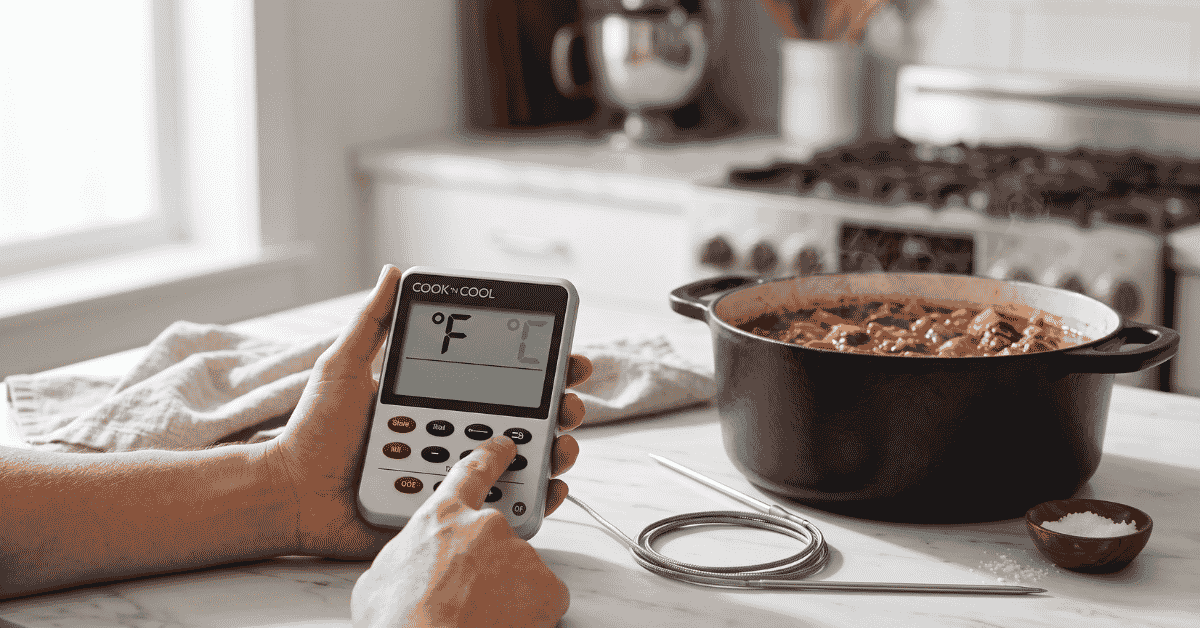
You’re standing over a stove with a sugar syrup that needs to hit a specific stage, or maybe a roast that’s nearly done, and your Cook N Cool display shows Celsius. It’s frustrating when you need a Fahrenheit reading to match your recipe, and the buttons don’t seem to do what you expect.
Quick Answer: To change a Cook N Cool thermometer from Celsius to Fahrenheit, look for the slide switch located on the back of the device or inside the battery compartment. Move the switch from the “C” position to the “F” position; the display will update instantly without needing a restart.
Why the Unit Setting Matters
Most professional cooking thermometers, like the Taylor Cook N Cool, are designed for global use. Because the United States uses Fahrenheit while most other countries use Celsius, manufacturers build a physical toggle into the hardware. This helps you follow specific temperature safety guidelines without doing mental math.
For example, the USDA recommends cooking whole poultry to 165°F. If your device is stuck in Celsius, you’d have to remember that 165°F is roughly 74°C. Switching the device directly to Fahrenheit removes the risk of a calculation error that could lead to undercooked food.
The Mechanism of the Switch
The Cook N Cool uses a simple binary slide switch. Unlike digital thermometers that require you to hold down a “Set” or “Mode” button for five seconds, this model uses a physical hardware override. When you move the slider, you are changing the circuit path to tell the processor which scale to display on the LCD.
Visibility and Access
Depending on the specific version of the Cook N Cool you own, the switch location varies slightly. On the standard digital probe models, the switch is often a small, recessed slider. This design prevents you from accidentally bumping the switch and changing the units while you are moving the thermometer around a busy kitchen.
How to Change the Temperature Scale
Switching the units is a mechanical process rather than a software menu setting. You won’t find a “Unit” button on the front face of the device.
-
Turn the device over: The front mainly houses the timer and temperature alerts. The configuration controls are on the rear.
-
Locate the slider: Look for a small notch labeled “°C / °F.” It is usually near the top of the back casing or just above the battery door.
-
Slide the toggle: Use your fingernail or a small pen tip to push the slider toward the “F” side.
-
Confirm the display: Flip the unit back over. You should see a small “F” icon next to the digits.
If you don’t see a switch on the back casing, open the battery compartment. Some older or specialized versions of these thermometers hide the toggle next to the AAA battery to protect it from steam and grease.
Exceptions and Troubleshooting
Sometimes the display won’t change even after you move the switch. This usually isn’t a broken sensor but a simple lag in the electronics.
-
Frozen Display: If the units don’t swap, take the batteries out for 60 seconds. Move the switch to Fahrenheit while the power is off, then put the batteries back in. This forces the processor to boot up with the new setting.
-
Low Battery Issues: When batteries get low, the LCD might lose the ability to show the small “F” or “C” icons. If the screen looks faint, a fresh battery often fixes the clarity of the unit indicator.
-
Physical Obstruction: Grease from the kitchen can sometimes seep into the slider. If the switch feels stuck, a tiny drop of rubbing alcohol on a cotton swab can help clear the debris so the toggle can move freely.
Common Mistakes
Many people try to change the units while the alarm is going off. The device focuses its processing power on the audible alert and the flashing display, so it might not register a unit change until you silence the alarm.
Another common error is confusing the “Timer/Cook” switch with the temperature unit switch. The “Timer/Cook” switch changes the function of the device, whereas the Celsius/Fahrenheit switch only changes the measurement scale. Always check the labels carefully before sliding any toggles.
Frequently Asked Questions
Does changing to Fahrenheit affect the alarm settings?
Yes, the alarm will scale to the new unit. If you had an alarm set for 100°C and you switch to Fahrenheit, the alarm will now reflect 212°F. You won’t need to recalibrate the alert unless you want a different target temperature.
Can I change units while the probe is in the meat?
Yes, you can flip the switch at any time. The thermometer reads the resistance from the probe and converts it in real-time. Changing the scale won’t hurt the sensor or the device.
Why is there no button for this on the front?
Thermometers designed for high-heat environments like kitchens keep the settings on the back to minimize “touch points” on the front. This makes the front easier to wipe clean and prevents accidental setting changes when you are pressing the timer buttons.
Is Fahrenheit more accurate than Celsius on this device?
The accuracy remains the same (usually +/- 2 degrees). However, Fahrenheit offers smaller increments because the scale is finer, which some cooks prefer for precision candy making or tempering chocolate.
Worth Remembering
The Cook N Cool is a workhorse in the kitchen because of its simplicity. If you can’t find the switch, it is almost certainly tucked behind the fold-out stand or inside the battery door. Once you set it to Fahrenheit, the device will stay that way even if you turn it off, so you likely only need to do this once.