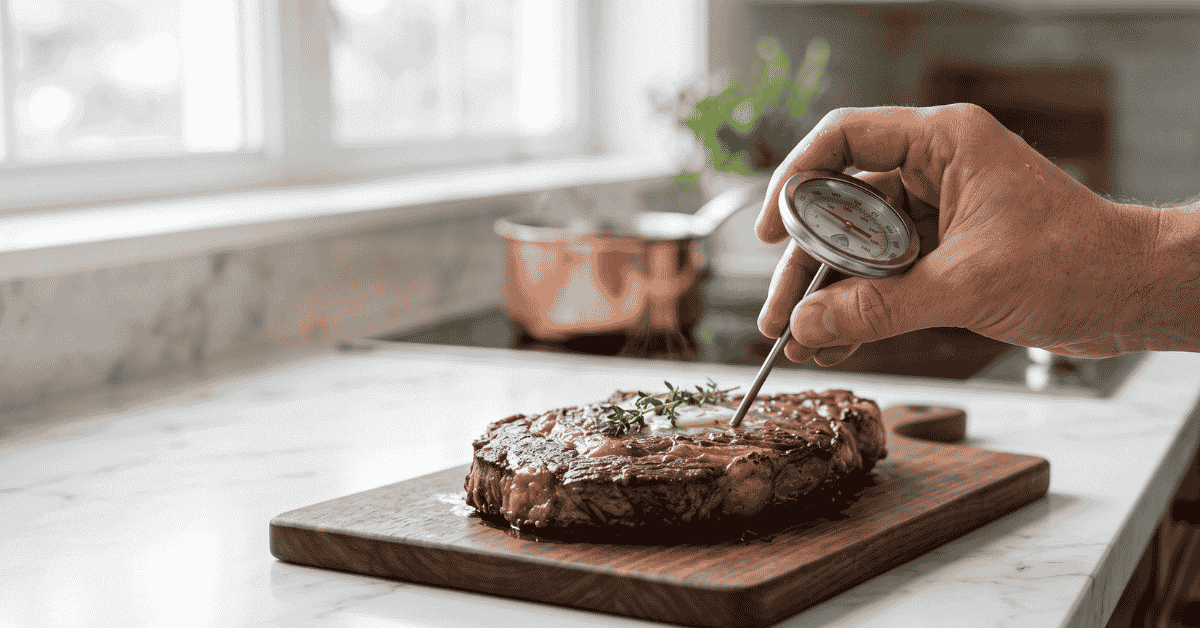
You’ve just pulled a beautiful roast out of the oven, but you aren’t sure if the center is safe to eat or if it’s already turned into leather. We’ve all been there, poking a finger at the meat and hoping for the best. A Cooper-Atkins thermometer takes the guesswork out of the kitchen, provided you know which type you’re holding and where to stick the probe.
Quick Answer: To use a Cooper meat thermometer, first identify if it’s a digital or dial models. Turn on digital units and insert the stainless steel probe into the thickest part of the meat, avoiding bone or fat. Wait for the reading to stabilize, usually 5 to 30 seconds depending on the model, and compare the result to USDA safety charts.
The Basics of Cooper-Atkins Thermometers
Cooper-Atkins is a brand often found in professional kitchens because their tools are accurate and take a beating. They make two main types of meat thermometers: digital “instant-read” versions and classic bi-metal dial versions. Both work by measuring heat transfer through a metal stem, but the way you read them differs.
The digital models usually have a thin tip that responds quickly to temperature changes. The dial models use a coiled spring inside the stem that expands as it gets hot, moving the needle on the face. Knowing which one you have determines how deep you need to push the probe into your food.
Finding the Sensing Point
A common mistake is not inserting the thermometer deep enough. For most Cooper digital thermometers, the sensor is in the very tip of the probe, about a half-inch up. You only need to get that tiny section into the “thermal center” of the meat to get a result.
Dial thermometers are different. They often have a small dimple on the side of the metal stem. This dimple marks the end of the sensing element.
You must insert the stem at least two inches deep, past that dimple, to get an accurate reading. If you only stick the tip of a dial thermometer in, the needle will stay too low, and you’ll likely overcook your dinner.
Reading the Display
Digital screens provide a direct number, often with a decimal point. Some Cooper models have a ‘Hold’ button, which is great if you’re reaching into a dark oven. You can press ‘Hold,’ pull the thermometer out, and then look at the screen comfortably.
Dial models require a steady eye to see exactly where the needle lands against the printed numbers on the face.
How to Check Your Meat Temperature Properly
Getting the right reading is about more than just a quick poke. Follow these steps to make sure you aren’t eating undercooked poultry or dry beef.
-
Select the thickest part: Look for the center of the largest muscle. For a whole chicken, this is the inner thigh near the breast. For a steak, it’s the direct middle.
-
Avoid the “False Heat” zones: Stay away from bones, gristle, and large pockets of fat. Bone conducts heat differently than meat and will give you a reading that doesn’t reflect the actual doneness of the flesh.
-
Insert the probe: Push the stem into the meat. If you’re cooking something thin like a burger patty, insert the probe sideways through the edge to ensure the sensing area is fully covered by the meat.
-
Wait for the stall: Watch the numbers or the needle. It will climb rapidly and then slow down. Once the temperature stops moving for three consecutive seconds, that is your final reading.
-
Clean up: Always wash the probe with hot, soapy water after every use. You don’t want to transfer bacteria from raw meat back onto your cooked food next time.
Refer to official safety guidelines from the USDA to confirm your meat has reached the minimum internal temperature for safety, such as 165°F for poultry.
Adjusting Your Cooper Thermometer (Calibration)
Even the best tools can go out of alignment if they are dropped or stored roughly. If you think your Cooper thermometer is lying to you, you can test it using the “Ice Point” method. This is the easiest way to check accuracy at home.
Fill a tall glass with crushed ice and just enough water to fill the gaps. Stir it and let it sit for a minute. Insert your thermometer stem at least two inches into the ice slurry without touching the sides or bottom of the glass.
It should read exactly 32°F (0°C).
If a dial thermometer is off, look for a small nut under the dial head. You can use a small wrench to turn the head until the needle points to 32°F while the probe is in the ice. Many digital Cooper models are factory-calibrated and cannot be adjusted manually, but higher-end digital versions often have a ‘CAL’ button you can hold down to reset the ice point baseline.
When to Leave the Thermometer In
A major point of confusion is whether the thermometer stays in the oven. Cooper makes “oven-safe” dial thermometers designed to stay in the meat the entire time it cooks. These usually have a glass face and a thick metal body.
“Instant-read” thermometers, meaning most digital models and small-dial pocket thermometers, are NOT oven-safe. The plastic housings or electronic components will melt or crack if left inside a hot oven or grill. Only use these to check the temp, then remove them immediately.
Common Mistakes to Avoid
-
Checking too early: Opening the oven door repeatedly lets heat out. Wait until you think the food is close to done before taking your first measurement.
-
Touching the pan: If the tip of the probe hits the bottom of the roasting pan, you are measuring the temperature of the metal, not the meat.
-
Ignoring carry-over cooking : Meat continues to rise in temperature by 5 to 10 degrees after you take it out of the heat. If you want beef at 145°F, pull it out when the thermometer hits 140°F and let it rest.
-
Forgetting the battery: If your digital display is faint or flickering, the battery is dying . This can lead to very inaccurate readings, which is a safety risk.
Frequently Asked Questions
Why is my thermometer showing a different temp in two different spots?
Meat doesn’t cook perfectly evenly. The exterior is always hotter than the core, and thinner sections cook faster. Always trust the lowest temperature you find in the thickest part of the meat to ensure safety.
Can I use my Cooper meat thermometer for candy or oil?
It depends on the range. Most meat thermometers only go up to 200°F or 220°F. Candy and deep-frying require temperatures near 350°F to 400°F.
Check the face or the manual; if you put a meat thermometer in candy or oil, you might break the internal spring or melt the digital sensor.
Does the thermometer need to be sanitized before each use?
Yes. Even if the meat looks cooked, the probe could have picked up bacteria from a previous check when the meat was still raw. A quick wipe with an alcohol swab or a wash with hot soapy water is enough.
What does “LL.L” or “HH.H” mean on the digital screen?
These are error codes. “LL.L” usually means the temperature is below the unit’s range (or the probe is disconnected), and “HH.H” means it’s above the range. If these pop up at room temperature, the probe might be damaged by water or excessive heat.
Worth Remembering
A Cooper thermometer is only as good as the person holding it. While these tools are built for accuracy, placement is the most important factor in getting a safe reading. Make sure you know where your specific model’s sensor is located, whether it’s at the tip or least two inches deep.
Consistent cleaning and occasional ice-point checks will keep your kitchen safe and your steaks from turning into bricks.