Smart air fryers with app control let you start, stop, and monitor cooking from your phone. You connect the appliance to your home Wi-Fi network, pair it with a companion app, and manage temperatures or timers without standing in the kitchen.
These connected appliances have grown popular because they solve a basic problem. Traditional models require you to physically press buttons and stay nearby to check progress. Smart air fryers with app control remove that requirement.
You can preheat the basket while walking through the front door, flip food using a push notification reminder, or check the remaining time from the couch. This guide covers how the technology works, what you gain, where it falls short, and what to look for before buying one.
How Wi-Fi Connected Cooking Actually Works
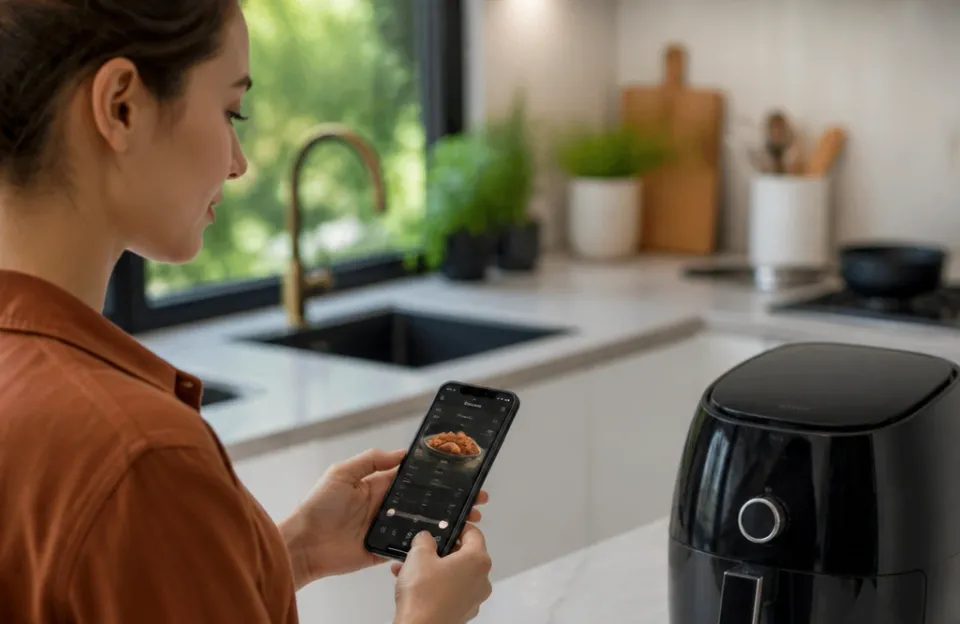
A smart air fryer connects to your home router exactly like a laptop or smart speaker does. The appliance contains a small Wi-Fi chip and a microcontroller. When you plug it in and follow the setup steps in the manufacturer's app, you give it your network password.
From that point on, the appliance communicates with a cloud server managed by the brand.
When you tap "Start" on your phone, the app sends a signal to that cloud server. The server relays the command back down to your router, which passes it to the air fryer. The heating element turns on and the fan starts spinning.
This entire loop usually takes under two seconds on a stable connection.
The device also sends data back. Internal temperature sensors report the heat level to the app. A timer counts down on your screen.
Some higher-end units include a small camera inside the cooking chamber, streaming a live video feed so you can watch browning happen in real time.
Most brands use their own proprietary apps. Cosori uses VeSync. Ninja uses the Ninja app.
Philips has its own ecosystem. These apps are free to download on iOS and Android. They require you to create an account, which is how the brand links your specific appliance to your phone.
What You Can Do From Your Phone
Remote operation is the main reason people buy smart air fryers with app control. The exact capabilities depend on the brand and model, but several functions appear across almost all of them.
Preheating. You can turn the unit on and set a target temperature before you even prep the food. By the time you coat your chicken or chop vegetables, the basket is already hot. Getting the timing right matters here, especially when prepping wings ahead of dinner.
Adjusting time and temperature. If a recipe calls for 400°F for 15 minutes, you can dial that in from the app. Halfway through, if you notice things browning too fast via a camera feed or just based on experience, you can drop the temperature to 375°F without walking over to the machine.
Push notifications. The app alerts you when preheating finishes. It pings you halfway through the cook cycle to remind you to shake the basket or flip the food. It notifies you when the timer hits zero.
Guided recipes. Most companion apps contain built-in recipe libraries. You select a recipe, and the app automatically programs the correct temperature and time. You just put the food in and hit start on your screen.
Voice commands. Many of these appliances link to Amazon Alexa or Google Assistant. You can say "Alexa, tell my air fryer to preheat to 380 degrees" while your hands are covered in flour.
If you frequently cook items that need precise timing, such as getting potatoes perfectly tender, having those push notifications prevents overcooking while you handle other tasks.
Built-In Recipe Libraries and Guided Cooking
The software side of smart air fryers with app control often matters more than the hardware. Brands invest heavily in their recipe databases because it keeps users opening the app daily.
When you select a guided recipe, the app does more than just set a timer. It often breaks the process into steps. It tells you exactly how much oil to spray.
It reminds you to flip the protein at the 8-minute mark. Some apps adjust the temperature dynamically during a single cook cycle, starting high to sear the outside and dropping low to finish cooking the center.
This guided approach helps beginners avoid common mistakes. Overcrowding the basket is the most frequent error people make with standard machines. App recipes usually specify exact portion sizes that fit the basket dimensions.
For experienced cooks, the value shifts toward convenience. You might already know exactly how long salmon needs, but tapping a saved preset on your phone is faster than manually punching numbers into a physical interface every single night. Knowing how fish behaves under convection heat helps you decide whether to trust the automated program or tweak the suggested settings manually.
You aren't locked into the app's recipes. You can always use manual mode to input your own times and temperatures for dishes you've perfected yourself.
The Downsides Nobody Mentions in Ads
Connected appliances carry trade-offs that standard models don't have. Understanding these limitations helps you decide if the upgrade is worth the money.
Wi-Fi dependency. If your internet goes out, the remote functions stop working. You can still use the physical buttons on the machine, but the whole point of buying a smart unit disappears during an outage. Some apps struggle to reconnect automatically after a router reboots, requiring you to go through pairing steps again.
App abandonment. Technology companies sometimes discontinue support for older products. If a brand decides to shut down its cloud servers or stops updating its app for new phone operating systems, your expensive smart appliance becomes a regular one. There is no guarantee a companion app will exist five years from now.
Privacy concerns. You are giving a company data about your eating habits, cooking schedules, and home network. Every smart device adds another entry point to your local network. While major brands use encryption, cheap off-brand units from unknown manufacturers might not follow strict security protocols.
Higher cost. The Wi-Fi chip, microcontroller, and software development add to the retail price. A smart model typically costs 20% to 40% more than a comparable standard version with the same basket capacity and wattage.
Notification fatigue. If you cook multiple things throughout the day, constant buzzing on your phone gets annoying. You end up muting the app, which defeats the purpose of buying it.
Comparing Smart Air Fryers With App Control to Standard Models
Deciding between a connected unit and a traditional one comes down to your daily routine. Here is how the core attributes stack up against each other.
| Attribute | Smart App-Controlled Model | Standard Manual Model |
|---|---|---|
| Starting Price | Usually $100 to $250+ | Usually $40 to $120 |
| Setup Time | 10-15 minutes (Wi-Fi pairing) | Plug in and use immediately |
| Remote Operation | Yes, via smartphone | No, physical buttons only |
| Recipe Guidance | Built-in app library | Printed booklet or none |
| Offline Reliability | Needs internet for smart functions | Works 100% of the time |
| Maintenance | Occasional app/firmware updates | Wipe clean, no software |
| Lifespan Risk | App support could end | Hardware dictates lifespan |
Standard models win on simplicity. You plug them in, turn a dial, and walk away. They don't require passwords or software updates.
If you cook the same three meals every week and already know the timings, a standard model handles that perfectly.
Smart air fryers with app control win on flexibility and monitoring. If you work odd hours, want to start dinner while commuting, or constantly experiment with new recipes, the software layer saves time. The extra cost pays off only if you actually open the app regularly.
Many households find a middle ground by buying a reliable base unit and learning its quirks first. For example, mastering achieving maximum crunch on poultry in a standard basket teaches you how airflow works before you hand that control over to an algorithm.
Security and Network Privacy
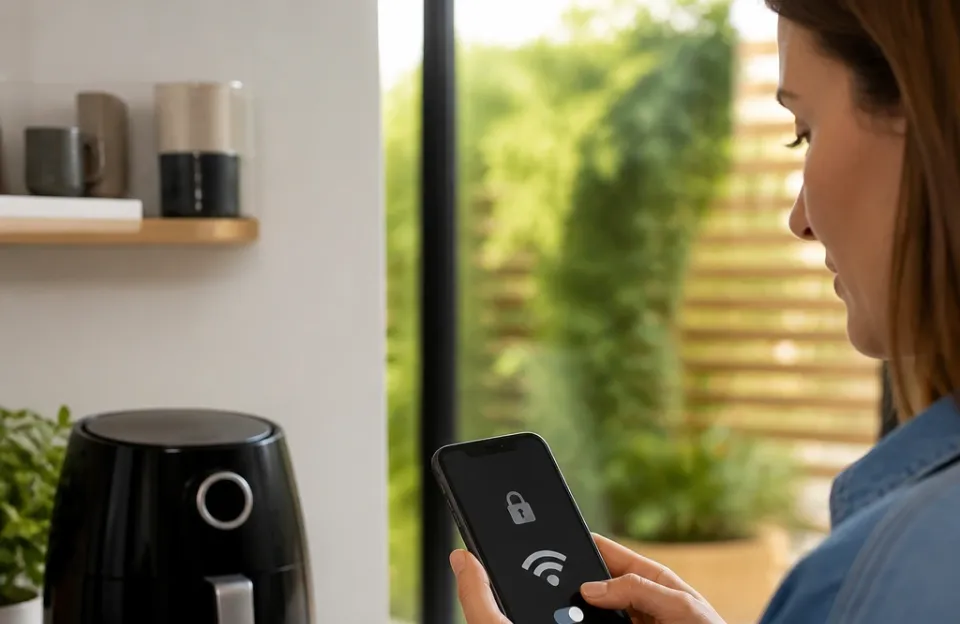
Any device that connects to your home router deserves scrutiny. Smart kitchen appliances collect usage data. Manufacturers state in their privacy policies that this data improves algorithms and provides targeted recipe suggestions.
To protect your network, put IoT devices on a separate guest network if your router supports it. This isolates the air fryer from your personal computers and phones. If the appliance gets compromised, the attacker cannot pivot to your primary devices.
Check the permissions the companion app requests. An air fryer app needs access to your local network and Bluetooth for initial pairing. It does not need access to your contacts, microphone, or photo gallery.
Deny any permission that doesn't directly relate to cooking.
Stick to established brands with dedicated cybersecurity teams. Companies like Cosori, Ninja, and Philips maintain active firmware update schedules. Random brands sold exclusively through third-party marketplaces rarely patch vulnerabilities once the initial inventory sells out.
Who Actually Benefits From a Connected Appliance
Not everyone needs a smart air fryer. The technology solves specific problems for specific types of cooks.
Busy professionals. If you leave work at 5:30 and want dinner ready by 6:00, being able to trigger preheating from your car saves ten minutes. You arrive home, toss the food in, and eat sooner.
Families managing multiple tasks. Parents helping kids with homework or folding laundry can hear a notification on their phone instead of setting a separate kitchen timer. It keeps the workflow moving without constant trips to the counter.
Tech enthusiasts. People who enjoy building smart home ecosystems like having everything in one dashboard. Seeing your oven, lights, and air fryer controlled through the same interface appeals to this group.
Beginners lacking confidence. If you worry about burning food, the guided recipes and camera feeds provide a safety net. You learn proper techniques by following the app's instructions until you build muscle memory.
On the flip side, if you prefer tactile cooking, hate dealing with software glitches, or simply don't care about remote access, a standard model serves you better. Paying extra for Wi-Fi you never use makes no sense.
Setting Up Your Smart Air Fryer Correctly
Getting the most out of the technology requires a proper initial setup. Skipping steps leads to dropped connections later.
- Download the app first. Create your account and verify your email before unboxing the appliance.
- Place the unit near the router initially. During the first pairing, keep the air fryer within ten feet of your Wi-Fi router. Once paired, you can move it to its permanent spot, provided the signal reaches there.
- Use a 2.4GHz network. Most smart home devices do not support 5GHz bands. If your router combines both into a single name, you might need to temporarily separate them in your router settings to force the connection.
- Update firmware immediately. Manufacturers release patches frequently. Run the update before your first cook to fix any known bugs out of the box.
- Test the connection. Start a brief 2-minute empty run from your phone while standing in another room. Confirm the app shows the timer counting down accurately.
Once paired, the connection stays saved unless you change your router password or replace your network hardware. If you swap routers, expect to repeat the pairing process from scratch.
Maintenance Differences for Connected Units
Cleaning the basket and wiping the exterior remains identical to standard models. The difference lies in software upkeep.
Check the app monthly for firmware updates. These updates improve connectivity stability and occasionally add new recipe presets. Ignoring them can lead to the app crashing on newer phone operating systems.
Keep the ventilation holes clear. Smart units contain sensitive electronics near the top housing where the display and Wi-Fi antenna live. Grease buildup blocking airflow causes overheating, which damages the circuit board faster than normal wear.
If the touch screen becomes unresponsive, unplug the unit for 60 seconds. This hard reset clears temporary software glitches. It is the equivalent of restarting your phone when an app freezes.
Frequently asked questions
Can I use a smart air fryer without connecting it to Wi-Fi?
Yes. Every smart model includes physical buttons or a touchscreen interface on the unit itself. You can operate it manually exactly like a standard model.
The Wi-Fi connection is strictly optional for remote access and app recipes.
Do smart air fryers use more electricity because they are always connected?
The standby power draw for the Wi-Fi chip is negligible, typically under 2 watts. The heating element consumes the actual electricity, and it only runs when actively cooking. Leaving it plugged in and connected costs pennies per month.
Are the app recipes accurate for cooking times?
They are generally reliable starting points, but variations exist. Basket loading, starting temperature of the food, and altitude affect outcomes. Treat the app's suggested time as a guideline and check your food a few minutes early until you learn how your specific unit behaves.
What happens to my smart air fryer if the manufacturer goes out of business?
The physical appliance will still cook food using the onboard controls. However, the cloud servers hosting the app functionality will likely shut down. You lose remote access, push notifications, and guided recipes permanently.
Is it safe to start an air fryer remotely if nobody is home?
Manufacturers design these apps with safety interlocks. Most require the basket to be properly inserted before remote start works. However, leaving any heating appliance running in an empty house carries inherent risk.
It is safer to use remote preheating only when you are arriving home shortly.
Do I need a specific phone to run the companion apps?
No. The major apps support both iOS and Android. They generally require relatively recent operating system versions to function properly.
Check the app store listing for minimum OS requirements before purchasing the appliance.
Before You Buy a Connected Model
Smart air fryers with app control add genuine convenience for people whose routines benefit from remote management. The ability to preheat from the driveway, monitor browning through a camera, and follow step-by-step digital recipes changes how you interact with the appliance.
Weigh that convenience against the higher price tag and the reality of software dependence. Hardware lasts for years. Apps rely on company funding and server maintenance.
Choose a reputable brand with a track record of supporting its ecosystem.
If you decide to stick with a traditional model, you miss nothing in terms of raw cooking performance. The heating elements and fans are identical. The food tastes the same whether the timer was set by your thumb on a glass screen or your finger on a phone miles away.
Pick the interface that fits your life, then focus on learning how air circulation actually cooks your meals.