When your food scale says LO, the batteries are too weak to power the display and sensors. When it says ERR, the scale has detected a problem with how weight is being measured, usually because it's overloaded or sitting on an uneven surface. Those two codes cover almost every interruption you'll run into while weighing ingredients.
Digital kitchen scales rely on small load cells to convert physical pressure into electrical signals. Any disruption in that signal path triggers a warning on the screen. This article breaks down exactly what each error code means, why it happens, and how to clear it so you can get back to measuring flour, butter, or coffee beans without guessing.
We'll also look at less common messages like O-Ld, UnSt, and Out2, plus the steps to take when a simple battery swap doesn't fix the problem.
How digital scales read weight and trigger warnings
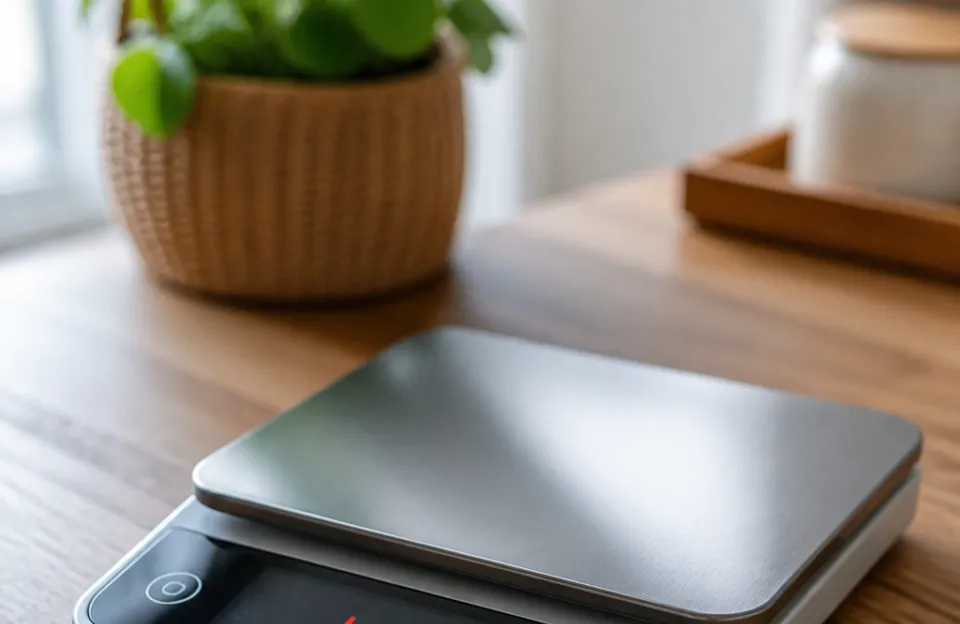
A digital food scale uses a strain gauge load cell hidden beneath the weighing platform. When you place an item on the scale, the metal inside the load cell bends slightly. That bending changes the electrical resistance in the circuit.
The scale's microchip reads that change in resistance and converts it into a weight reading on the LCD screen.
For this process to work, the scale needs stable voltage from its batteries. It also needs a flat, rigid surface underneath it. If the voltage drops below a certain threshold, the microchip can't read the resistance accurately.
If the surface wobbles, the load cell registers false movement. In both cases, the scale stops showing a number and throws an error code to protect you from using a wrong measurement.
Manufacturers program these limits into the firmware at the factory. They follow general testing standards for consumer electronics, similar to those outlined by NIST guidelines for weighing instruments. The specific letters on your screen depend on the brand, but the underlying causes are nearly identical across all models.
Why does my food scale say LO or ERR during normal use?
Seeing "Why Does My Food Scale Say LO or ERR?" pop up in the middle of baking can be frustrating. The LO message specifically relates to power. Even if the screen still lights up, the voltage might be too low for the sensor to function.
A dim display is a dead giveaway.
The ERR message relates to the sensor itself. It means the math inside the chip failed. The scale tried to calculate a weight, but the numbers coming from the load cell didn't make sense.
This happens when the weight exceeds the maximum capacity, when something is pressing on the bottom of the scale, or when the internal components have shifted out of alignment.
What the LO message actually means
LO stands for low battery. Your scale requires a minimum voltage to operate the load cell and the display simultaneously. When the batteries drain past that point, the scale shuts down the weighing function and prints LO on the screen.
This happens most often with standard AAA or AA alkaline batteries. Rechargeable batteries can also cause this issue because they output 1.2 volts per cell instead of the 1.5 volts provided by alkalines. If your scale requires four batteries, that difference adds up.
Four rechargeables give you 4.8 volts total, while four alkalines give you 6.0 volts. Some older scale models won't boot properly on the lower voltage.
Moisture is another hidden cause. Kitchens generate steam, especially near stoves or dishwashers. If condensation gets inside the battery compartment, it creates a slight short circuit that drains power faster than normal.
Corrosion on the metal contacts will do the same thing. You might put fresh batteries in, see the LO message disappear for ten minutes, and then watch it come right back.
If you frequently weigh hot items or work near boiling water, keeping your tools dry matters just as much as maintaining a clean toaster oven interior after heavy use. Moisture ruins electronics quickly.
Decoding the ERR code on your display
ERR is a general fault code. It tells you the scale's processor cannot complete a weighing cycle. Unlike LO, which points directly to the power source, ERR points to the mechanical or environmental side of the device.
Overloading is the most frequent trigger. Every food scale has a maximum capacity, usually printed on the bottom sticker or in the manual. Common limits are 5 kilograms (about 11 pounds) or 3 kilograms (about 6.6 pounds).
If you set a heavy mixing bowl on the scale and fill it with dense dough, you can easily exceed that limit. The load cell bends further than it was designed to bend. The processor sees an impossible resistance value and outputs ERR to prevent permanent damage to the sensor.
Uneven surfaces cause the same code. If you place the scale on a soft cutting board, a folded towel, or a counter edge where one rubber foot hangs off, the weight distribution shifts. The load cell expects force to push straight down.
When the force comes in at an angle, the reading fluctuates wildly. The processor interprets those fluctuations as a hardware failure.
Drafts and vibrations matter too. Running a stand mixer next to your scale sends vibrations through the countertop. An open window blowing directly onto the weighing platform pushes against the load cell.
Both scenarios introduce noise into the electrical signal, prompting an ERR display.
Other error codes you might see
While LO and ERR cover most situations, some scales use different abbreviations. Knowing them saves you from throwing away a perfectly good tool.
| Error Code | Meaning | Primary Cause | Quick Fix |
|---|---|---|---|
| LO | Low Battery | Voltage dropped below operating threshold | Replace batteries; clean contacts |
| ERR | General Fault | Overload, uneven surface, or sensor glitch | Remove weight; move to flat surface |
| O-Ld / OUT | Overload | Weight exceeds maximum capacity | Take items off immediately |
| UnSt | Unstable | Vibrations, drafts, or soft surface | Move scale to solid, flat counter |
| Out2 | Calibration Loss | Internal zero-point drifted | Perform manual recalibration |
| EEE | Hardware Failure | Broken load cell or damaged circuit board | Contact manufacturer for repair |
O-Ld means overload. It functions similarly to ERR but specifically isolates excess weight as the culprit. If you see O-Ld, remove everything from the platform immediately.
Leaving a heavy object on a maxed-out scale for hours can permanently deform the metal inside the load cell.
UnSt stands for unstable. The scale is turned on, has enough battery power, and isn't overloaded. The numbers on the screen simply won't stop jumping around.
This almost always traces back to air currents or a surface that flexes under pressure.
Out2 indicates the scale has lost its calibration. Digital scales store a baseline "zero" value in their memory. If the scale gets dropped, bumped hard, or exposed to extreme temperature changes, that baseline shifts.
The scale thinks it's holding weight even when the platform is empty.
Clearing the LO warning and restoring power
Fixing a LO message starts with the battery compartment. Turn the scale over and slide the cover off. Take out the old batteries and inspect the metal springs and flat contacts.
If you see white or green crusty buildup, that's corrosion.
Dip a cotton swab in white vinegar and gently scrub the contacts. Vinegar neutralizes alkaline battery acid. Wipe the area dry with a clean cloth before inserting new batteries.
Always use standard alkaline batteries unless the manufacturer explicitly states the model supports rechargeables. Check the expiration dates on the package. Batteries lose charge sitting on store shelves, and buying a pack manufactured three years ago gives you less usable life.
After installing fresh batteries, turn the scale on. If the LO message persists, the problem might be internal. A loose wire connecting the battery box to the main circuit board will mimic dead batteries.
If you're comfortable opening the plastic housing, check for disconnected wires. Otherwise, contact the manufacturer.
Some high-end models skip disposable batteries entirely. If you prefer plugging in your gear, much like choosing a reliable cordless thermometer for grilling, look for scales with built-in lithium-ion cells. Just remember that rechargeable internal batteries eventually degrade after several hundred charge cycles.
Fixing an ERR or O-Ld reading

When the screen flashes ERR, take everything off the platform first. Press the tare or zero button. If the scale returns to 0.0, the error was caused by exceeding the weight limit.
If the ERR remains with an empty platform, move the scale. Pick it up completely and set it down on a hard, flat surface. Granite, quartz, or solid wood countertops work best.
Avoid laminate surfaces that bow slightly in the middle, and never use a scale on top of a silicone baking mat.
Turn the scale off, wait ten seconds, and turn it back on. This forces the processor to reboot and re-read the load cell's resting state. If the error clears, you likely had a temporary glitch caused by static electricity or a brief vibration.
If you consistently trigger ERR when adding ingredients slowly, your scale's maximum capacity might be too low for your recipes. Baking large batches of bread requires heavy bowls and dense flour. A scale rated for 3 kilograms will fail quickly under that load.
Upgrading to a model with a 10-kilogram capacity solves the problem. When matching precision tools to heavy tasks, keep in mind that checking safe pork temperatures requires a fast probe, whereas weighing bulk ingredients demands a robust load cell. Different jobs need different specs.
Recalibrating a scale that shows Out2 or drifts
An Out2 error or a scale that won't return to zero needs recalibration. Most consumer food scales don't advertise this option, but many support it through a hidden button sequence.
Check your user manual for the exact steps. A common method involves turning the scale off, holding down the unit or mode button, and pressing the power button simultaneously. The screen will flash a series of numbers or ask for a specific calibration weight.
You need an exact reference weight for this to work. Don't guess. A sealed bag of sugar labeled 500 grams isn't precise enough for calibration because packaging adds variable weight.
Use a certified calibration weight if you have one. Alternatively, use coins. In the United States, a newly minted nickel weighs exactly 5.00 grams.
Twenty nickels stacked together give you a reliable 100-gram reference weight. Place the required weight on the platform when prompted, wait for the scale to beep, and remove it. The processor writes the new baseline to its memory.
If the scale fails to hold the calibration after you perform this process, the load cell has likely suffered physical damage. Dropping a heavy cast iron pan on a glass platform can crack the internal sensor. Once the metal is bent past its elastic limit, no amount of software adjustment will fix it.
Environmental factors that mess with readings
Kitchens are hostile environments for precision electronics. Heat, humidity, and dust all interfere with how a food scale operates.
Placing your scale next to the stove exposes it to radiant heat. Load cells are made of metal alloys that expand slightly when heated. That thermal expansion changes the electrical resistance, causing the scale to register phantom weight or throw an ERR code.
Keep the scale at least two feet away from active burners.
Humidity causes condensation inside the casing. Water conducts electricity. Tiny droplets forming on the circuit board create bridges between connections that shouldn't touch.
This leads to erratic behavior, sudden shutdowns, or persistent error messages. If you wash your scale, never submerge it. Wipe the platform with a damp cloth and dry it immediately.
Electromagnetic interference is rare in home kitchens, but it happens. Placing a scale directly on top of a running microwave or next to a powerful induction cooktop can disrupt the sensor's electrical signals. If your scale acts strangely only when certain appliances are running, move it to a different counter.
Accurate measurements rely on stable conditions across all your tools. Whether you're verifying liquids with a stainless steel frying thermometer or portioning dry goods on a digital scale, consistent room temperature prevents false readings.
When to replace the scale instead of fixing it
Troubleshooting fixes most LO and ERR messages. Sometimes the hardware is genuinely broken, and repairing it costs more than buying a new one.
If you've replaced the batteries, cleaned the contacts, moved the scale to a flat surface, and performed a reset, yet the error persists, the circuit board or load cell has failed. Consumer food scales aren't designed for component-level repair. The parts are soldered directly to the board, and replacement load cells aren't sold separately to the public.
Physical damage is another endpoint. Cracked glass platforms compromise the structural integrity needed for accurate weighing. Water damage that leaves visible rust on the internal screws usually shorts out the main chip permanently.
Consider the age of the device. Basic digital scales use inexpensive components that degrade over five to seven years of daily use. If yours is pushing a decade old and suddenly throwing errors, the conductive traces on the circuit board may have oxidized.
Buying a modern replacement gives you better accuracy and often higher weight limits.
If you rely heavily on precise measurements for things like specialty coffee or molecular gastronomy, investing in a scale with a higher resolution makes sense. Pairing accurate weights with precise thermal readings, perhaps using a fast dual-probe setup alongside your scale, removes the guesswork from complex recipes entirely.
Frequently asked questions
Can I use rechargeable batteries in my food scale?
You can if the manufacturer specifies compatibility. Standard rechargeable NiMH batteries output 1.2 volts compared to the 1.5 volts of alkaline batteries. Many budget scales require that extra voltage to power the display and sensor simultaneously.
Using rechargeables in an incompatible scale will cause a premature LO warning, even when the batteries are fully charged.
Why does my scale show ERR when nothing is on it?
An ERR code on an empty platform usually means the scale is sitting on an uneven or soft surface. The load cell detects shifting pressure and assumes a fault. It can also indicate that the scale lost its zero-point calibration.
Try moving the scale to a hard, flat countertop and performing a factory reset or recalibration sequence.
Is it bad to leave heavy items on the scale overnight?
Yes. Leaving weight on the platform for extended periods puts constant stress on the load cell. Over time, the metal alloy undergoes creep, meaning it slowly deforms under continuous pressure.
This ruins the scale's accuracy and can lead to permanent Out2 errors or a failure to return to zero when emptied.
Do food scales wear out over time?
They do. The electronic components, battery contacts, and load cell all experience gradual wear. Frequent exposure to kitchen moisture accelerates corrosion.
Daily heavy use fatigues the strain gauge inside the sensor. A typical home food scale lasts between three and seven years before its readings start drifting or error codes become frequent.
Will dropping my scale break the sensor?
Dropping a scale is the fastest way to destroy the load cell. The impact bends the internal metal element past its recovery point. Even if the glass platform survives the fall, the sensor inside may be permanently misaligned.
After a significant drop, test the scale against a known weight. If the reading is off by more than a gram or two, the hardware is damaged.
Can a dirty weighing platform cause error codes?
Dried food, sticky spills, or crumbs trapped under the rim of the weighing platform can press against the sensor housing. This applies uneven force to the load cell, tricking the processor into reading a fault. Wipe the platform and the crevices around its edges regularly to prevent debris from interfering with the mechanics.
Keeping your measurements accurate
Error codes on a food scale are warnings, not death sentences for the appliance. LO means the scale needs fresh power. ERR means the sensor is confused by weight, surface, or environment.
By addressing the specific cause rather than assuming the device is broken, you can resolve almost any issue in under a minute.
Keep spare alkaline batteries in a drawer. Always set the scale on a hard, level counter before turning it on. Never exceed the printed weight limit, and wipe up spills before they seep into the seams.
Treat the scale like the precision instrument it is, and it will stay reliable through thousands of recipes.