A food scale that won't zero out throws off every recipe you try to follow. If your scale reads a few grams or ounces before you even place a bowl on it, the problem usually comes down to sensor drift, low battery power, physical debris under the weighing platform, or a surface that isn't perfectly flat. Fixing it takes a few minutes of basic troubleshooting.
This article covers why does my food scale not zero out, what causes the display to hang on a random number, and how to get it reading zero again. We'll look at load cell mechanics, power issues, calibration steps, and the specific scenarios where a scale simply can't be saved.
How Digital Food Scales Measure Zero
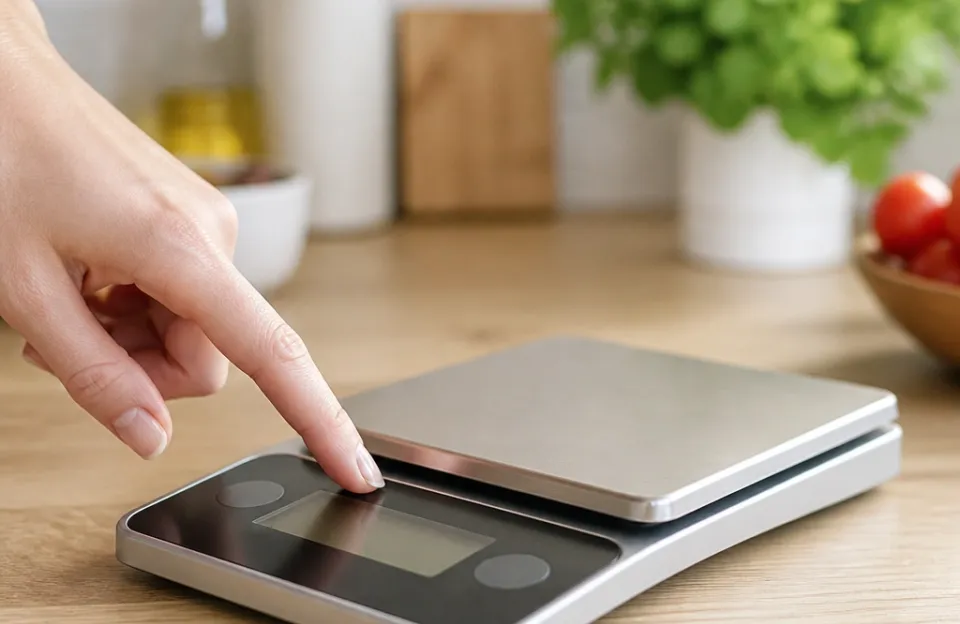
Every digital kitchen scale relies on a component called a load cell. This is a small metal bar or disc hidden beneath the weighing platform. When you put weight on the scale, the load cell bends slightly.
That bending changes its electrical resistance. The scale's internal circuit board measures that resistance change and converts it into a number on the screen.
Zeroing the scale tells the circuit board to treat the current resistance level as the baseline. When you press the tare or zero button, the scale records the exact electrical state of the load cell at that moment and subtracts it from all future readings. If the load cell is already bent, stressed, or receiving inconsistent voltage, the math fails.
The display stays stuck on a positive or negative number because the baseline itself is unstable.
The National Institute of Standards and Technology publishes guidelines on how weighing instruments must perform, noting that environmental factors like temperature shifts directly impact strain gauge accuracy. A cheap load cell reacts more aggressively to these shifts than a precision one, which explains why budget scales drift more often.
What Happens Inside the Load Cell During Tare
Pressing the zero button doesn't physically reset anything. It just writes a new starting value to the scale's memory chip. If the load cell is physically deformed from being overloaded in the past, the electrical signal it sends is erratic.
The memory chip tries to lock onto a moving target. You see the numbers jump around or settle on something other than zero.
This electronic baseline is fragile. Dropping the scale, pressing too hard on the platform while cleaning it, or leaving heavy items on it for weeks can permanently alter the resting shape of the load cell. Once the metal fatigues, the zero point vanishes.
Why Does My Food Scale Not Zero Out? Common Causes
Several distinct problems cause a food scale to refuse to return to zero. Identifying the exact reason saves time so you don't try fixing a software glitch when the hardware is broken.
Dying Batteries Cause Sensor Drift
Low voltage is the most frequent reason a digital scale acts up. The load cell requires a very specific, steady voltage to measure resistance accurately. As batteries drain, they supply less power.
The circuit board struggles to read the load cell correctly, resulting in a drifting zero point.
You might notice the display dimming slightly, or the numbers flickering before settling on a non-zero value. Rechargeable scales with built-in lithium batteries show this behavior when they need a full charge cycle rather than a quick top-up. If you've been using the same AA or AAA batteries for months, swap them out before trying any complex fixes.
Accurate measurements matter across all your tools, whether you are checking dough hydration or monitoring internal meat temperatures during cooking.
Uneven Countertops Throw Off the Baseline
Digital scales need a hard, perfectly flat surface to function. Placing a scale on a silicone baking mat, a wooden cutting board that rocks slightly, or a tile counter with deep grout lines introduces uneven pressure on the scale's rubber feet.
If one foot hangs slightly off an edge or sits in a dip, the entire chassis twists. That twist transfers microscopic pressure to the load cell. The scale interprets this mechanical stress as weight.
Pressing zero while the scale is crooked only sets a false baseline. The moment you tap the platform or shift the scale, the reading jumps away from zero again.
Crumbs and Spills Wedge Under the Platform
Food scales live in messy environments. Flour dust, sugar crystals, and sticky spills work their way into the tiny gap between the weighing platform and the base unit. Over time, this debris builds up and creates physical friction.
When you press zero, the platform needs to rest freely on the load cell. A hardened piece of dried syrup or a cluster of coarse salt wedged against the sensor housing prevents the platform from settling into its true resting position. The scale registers this obstruction as constant, unmovable weight.
Exceeding the Maximum Weight Limit Damages the Sensor
Every scale has a maximum capacity, typically 5 kilograms or 11 pounds for standard kitchen models. Pushing past this limit, even briefly, forces the load cell to bend further than its design allows. This is called plastic deformation.
The metal doesn't spring back to its original shape.
Leaning heavily on the scale while wiping down the counter or stacking heavy pots on it while it's turned off causes the exact same damage. Once the load cell is permanently bent, no amount of resetting will bring the zero point back. The sensor is physically ruined.
Temperature Swings Alter Electrical Resistance
Load cells are made of metal, and metal expands and contracts with temperature changes. Moving a scale from a cold pantry to a warm spot next to the stove causes rapid thermal expansion. The resistance in the strain gauges changes independently of any applied weight.
Most consumer kitchen scales lack advanced temperature compensation circuits. They expect to operate in a stable room environment. If you try to zero the scale while it is actively warming up or cooling down, the reading will drift continuously until the metal reaches thermal equilibrium.
| Cause | Symptom | Difficulty to Fix |
|---|---|---|
| Low batteries | Flickering display, slow drift | Very easy |
| Uneven surface | Reading changes when scale is moved | Easy |
| Debris under platform | Stuck on a consistent positive number | Moderate |
| Overloaded sensor | Erratic jumping, won't hold zero | Impossible (hardware failure) |
| Temperature shift | Slow drift after moving locations | Easy (wait it out) |
Getting Your Scale Back to True Zero
Once you know what causes the issue, applying the right fix is straightforward. Work through these steps in order, starting with the simplest solutions.
Swap the Power Source First
Remove the current batteries and put in brand-new ones. Don't mix old and new batteries, and don't mix different brands. If your scale uses a rechargeable battery, plug it in and let it reach 100 percent before testing the zero function.
Turn the scale on and place it on a bare counter. Watch the display. If the numbers stabilize quickly at zero, the power supply was the culprit.
Weak voltage mimics sensor failure almost perfectly, which is why this step always comes first. Reliable power delivery matters for every device in your kitchen, from your scale to a fast-reading thermometer used for daily prep.
Find a Genuinely Flat Surface
Clear a space directly on your countertop. Remove cutting boards, dish towels, and silicone mats. Turn the scale on and gently rock it with your fingers at opposite corners.
It shouldn't wobble at all.
If your counters are textured or uneven, try placing the scale on a thick, hardbound book or a piece of glass. Press the zero button once the scale sits completely still without rocking. A stable foundation removes mechanical stress from the equation.
Clean the Gap Around the Weighing Platform
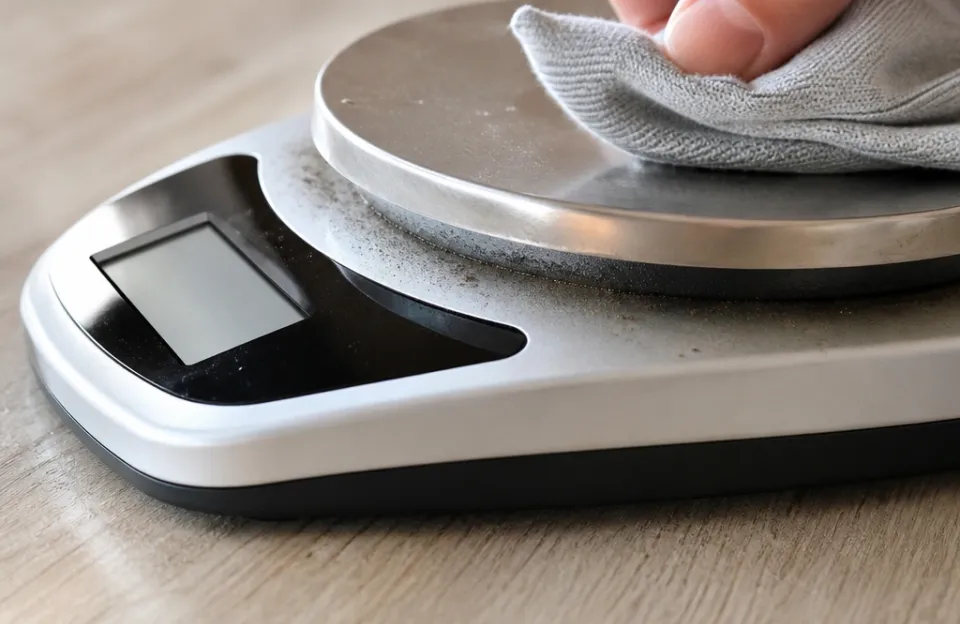
Turn the scale upside down and inspect the seam where the top platform meets the bottom base. Use a dry toothbrush or a wooden toothpick to gently sweep out any trapped flour, seeds, or dried liquid. Avoid using wet cloths here, as pushing moisture into the electronics causes worse problems.
For sticky residue, lightly dampen a cotton swab with rubbing alcohol and run it along the gap. Let it evaporate completely before turning the scale right-side up and testing the zero function. Removing physical obstructions lets the platform float freely on the sensor again.
Keeping your prep area clean applies everywhere, including knowing how to clear baked-on grease from appliances that sit near your workstation.
Perform a Hard Reset
Some scales store calibration data in a temporary memory cache that can corrupt over time. To clear it, remove the batteries entirely. With the battery compartment empty, press and hold the power button for ten seconds.
This drains any residual electricity stored in the capacitors on the circuit board.
Reinsert the batteries and turn the scale on. This forces the microprocessor to boot fresh and re-evaluate the load cell's resting state without relying on old, corrupted data.
Let the Scale Acclimate to Room Temperature
If you just brought the scale out of storage or moved it away from a drafty window, leave it turned off on the counter for thirty minutes. Let the metal components inside reach the ambient room temperature naturally.
Don't try to speed this up with a hair dryer or by placing it near a heating vent. Rapid, uneven heating warps the load cell further. Once it has sat undisturbed, turn it on and press zero.
The reading should hold steady.
When Calibration Is the Real Problem
Sometimes the zero point works, but the scale reads inaccurately across the rest of its range. Or, the zero function works intermittently. This points to a calibration error rather than a simple obstruction or dead battery.
Consumer food scales rarely have user-accessible calibration modes. Professional lab scales do. However, some higher-end kitchen models include a reset sequence detailed in their specific user manuals.
This usually involves holding the tare and power buttons simultaneously while placing a known reference weight on the platform.
If you don't have a certified calibration weight, you can use water. One milliliter of pure water weighs exactly one gram at standard room temperature. Place a lightweight cup on the scale, zero it out, and pour in exactly 100 milliliters of water using a graduated measuring cup.
The scale should read 100 grams. If it reads 98 or 103, the internal calibration has drifted.
Drift happens naturally over years of use due to metal fatigue in the load cell. There is no way to reverse physical wear. If your scale consistently fails the water test after you've cleaned it and replaced the batteries, the sensor is aging out.
Precision matters whether you are weighing yeast for bread or verifying the output of a dual-probe setup for smoking meats.
Mistakes That Ruin the Zero Function Permanently
People accidentally destroy their food scales doing things that seem harmless. Avoiding these habits extends the life of the load cell significantly.
- Storing heavy items on the platform. Leaving a bag of flour or a heavy mixing bowl sitting on the scale while it's turned off keeps constant tension on the load cell. Over weeks, this stretches the metal past its elastic limit. Always clear the scale completely after use.
- Tapping the zero button repeatedly. Mashing the tare button rapidly confuses the processor. It tries to establish multiple baselines in fractions of a second. Press it once, firmly, and wait for the display to settle.
- Wiping the scale while it's on. Pressing down hard with a damp cloth while the scale is powered up forces the load cell downward. The scale registers your cleaning pressure as weight, and if you hit the zero button mid-wipe, you set the baseline to a deflected state. Turn it off before cleaning.
- Ignoring low battery warnings. Many scales flash a "Lo" indicator or dim the screen when power drops. Continuing to use it in this state forces the circuit board to compensate for low voltage, which stresses the components and accelerates sensor drift.
- Using the scale as a cutting board. Chopping vegetables directly on the weighing platform sends sharp, localized shockwaves straight into the load cell. These impacts dent the strain gauges. Always transfer ingredients to a separate bowl or board before cutting.
Edge Cases Where the Scale Simply Won't Cooperate
Not every zeroing issue fits neatly into the common categories. Some situations involve external interference or manufacturing limits that you can't easily control.
Electromagnetic Interference
Digital scales process very weak electrical signals from the load cell. Strong electromagnetic fields can disrupt these signals. Placing your scale directly next to a running microwave, a large blender motor, or an induction cooktop can cause the display to fluctuate wildly.
The motors in these appliances generate magnetic fields that induce stray currents in the scale's wiring. The processor interprets this noise as changing weight. If your scale refuses to zero out only when certain appliances are running, move it to a different part of the counter.
High Altitude and Air Pressure
While gravity variations based on altitude affect highly sensitive laboratory equipment, consumer food scales are generally immune to geographic location. However, extreme changes in air pressure combined with temperature shifts can occasionally affect sealed load cells. If you recently moved to a significantly different elevation and your scale is acting up, give it a few days to acclimate to the new atmospheric conditions before assuming the sensor is broken.
Cheap Manufacturing Tolerances
Scales costing under fifteen dollars often use stamped metal load cells instead of machined aluminum or steel. These thin sensors lack consistency. They might zero out perfectly three times in a row, then stick on two grams the fourth time.
This isn't a malfunction you can fix. It's a limitation of the materials used. The strain gauges are glued to a surface that flexes unpredictably.
If you rely on precise measurements for baking or portion control, budget scales introduce constant frustration. Investing in better tools, much like choosing a reliable wireless probe that maintains a steady signal, reduces daily friction in the kitchen.
Frequently Asked Questions
Why does my food scale keep changing numbers on its own?
A display that constantly moves up or down without anything touching the platform indicates an unstable electrical signal. This is almost always caused by dying batteries, a draft blowing across the sensor, or electromagnetic interference from nearby appliances. Replace the power source first, then move the scale away from motors and vents.
Can I calibrate a kitchen scale at home without special weights?
You can verify accuracy using water, since one milliliter equals one gram. True recalibration requires entering a service mode that most consumer scales don't support. If the water test shows your scale is off by several grams, the internal sensor has likely degraded and cannot be adjusted by the user.
Does the tare button work differently than the zero button?
On almost all digital food scales, the tare and zero buttons perform the exact same function. They both tell the processor to record the current load cell resistance as the new baseline. Manufacturers use the words interchangeably depending on the region or branding.
Pressing either one clears the displayed weight back to zero.
Will putting my food scale in the fridge ruin the zero function?
Moving a scale from a warm kitchen into a cold refrigerator causes rapid thermal contraction of the metal load cell. This shifts the baseline temporarily. It won't permanently break the scale unless condensation forms inside the electronics and causes a short circuit.
Let the scale return to room temperature slowly before turning it on and pressing zero.
Why does my scale read zero but weigh things incorrectly?
A scale can successfully record a baseline while having a damaged load cell that responds poorly to added weight. The zero function only captures the resting state. If the metal sensor is fatigued or cracked, it won't bend proportionally when you add flour or butter.
The starting point is correct, but the rate of change is wrong.
Is a scale that won't zero out safe to use for dietary tracking?
No. If the baseline is off by five grams, every single measurement you take will carry that five-gram error. For casual cooking, this rarely matters.
For strict macronutrient tracking, medical diets, or baking recipes that depend on exact ratios, a drifting scale makes your data useless. Fix the zeroing issue or replace the unit.
Sorting Out Stubborn Readings
Figuring out why does my food scale not zero out usually comes down to power, placement, or cleanliness. Start with fresh batteries and a hard, flat surface. Clear out any crumbs hiding under the platform and avoid leaning on the scale when it's turned off.
Most zeroing problems disappear after those three steps.
If the numbers still jump around or refuse to settle at zero after a hard reset, the load cell has likely suffered permanent mechanical damage from overloading or age. At that point, replacement is the only reliable option. Treat your scale like the precision instrument it is.
Keep it clean, store it empty, and it will hold its baseline for years.