Had your trusty meat thermometer suddenly start acting up? Maybe it’s showing gibberish on the screen, or worse, not turning on at all. Knowing how to reset a meat thermometer is a handy skill that can bring your cooking companion back to life.
It’s usually a quick fix for most digital models.
Most common issues stem from minor glitches that a simple reset can clear up. Manufacturer specifications often indicate that even high-end digital thermometers, like those boasting a 3-second response time for temperatures between -4°F and 572°F (-20°C to 300°C), can benefit from a power cycle. This quick action can resolve unexpected errors and restore accurate readings.
Why Your Meat Thermometer Needs a Reset
Sometimes, your digital meat thermometer just needs a fresh start. It’s similar to how your computer or smartphone acts up and requires a reboot. These devices have internal processors that can sometimes encounter minor software hiccups, leading to erratic behavior.
If you’re noticing strange error codes like “Err,” “Lo,” or “Hi” on the display, or if the temperature readings seem wildly off, a reset is often the first, and best, step.
Image source: Pexels / Gustavo Fring (Pexels License)
Think of it as clearing the thermometer’s short-term memory. This usually doesn’t affect any stored settings or calibration (if your model has advanced calibration features), but it can reset the device to its default operating state.
Quick Answer
To reset a meat thermometer, you typically remove and reinsert the batteries. For models with a specific reset button, press and hold it for a few seconds. This process helps clear minor software glitches.
Always check your model’s manual for exact instructions.
When to Hit the Reset Button on Your Thermometer
You’ve got a few clear signs that your meat thermometer is begging for a reset. Ignoring these can lead to undercooked food or ruined dinners. It’s about keeping your cooking safe and delicious.
Recognizing the Red Flags
Your thermometer might seem fine at first glance, but a closer look reveals issues. These are the tell-tale signs that its internal circuits are a bit confused and need a nudge.
Does Your Thermometer Show These Symptoms?
- Inaccurate Readings: It’s showing temperatures that are clearly wrong, like 200°F for a steak that’s still raw.
- Error Codes: You see “Err,” “Lo,” “Hi,” or other cryptic messages on the LCD screen.
- Not Turning On: Pressing the power button yields no response, despite the batteries seeming okay.
- Stuck Units: The thermometer is stuck on Celsius and won’t switch to Fahrenheit, or vice-versa.
- Unresponsive Buttons: Buttons don’t register presses, or they act erratically.
How Resetting Actually Works (It’s Simpler Than You Think)
At its core, resetting a digital meat thermometer is like rebooting any electronic device. It forces the internal electronics to shut down completely and then restart. This common troubleshooting step is very effective for resolving temporary software glitches or minor operational errors.
The “Reboot” for Your Cook’s Best Friend
When you perform a reset, you’re essentially cutting power to the thermometer’s internal chip for a brief period. This interruption clears out any temporary data or processes that might have gone haywire. Aggregated user feedback often points to this simple action as the fix for a surprising number of performance issues.
Your Reset Decision Tree: Step-by-Step
Figuring out how to reset your specific meat thermometer often depends on its design. While many digital models follow a similar pattern, some have a dedicated reset button. This guide walks you through the most common methods.
Step 1: Identify the Problem
First, pinpoint exactly what’s wrong. This helps determine the best reset approach.
Not Turning On?
If your thermometer is completely dead, a battery issue is the most likely culprit, but a reset can still help if the power circuit is just stuck.
Weird Readings or Error Codes?
This is the classic sign of a software glitch. A reset is almost always the first recommended step for these symptoms.
Stuck on Wrong Units?
This is a common software hiccup that a unit selection reset or a full device reset can solve.
Step 2: Basic Troubleshooting (The Quick Fixes)
Before diving into a full reset, try these simple steps that resolve many issues.
Check Batteries First!
Low or dead batteries cause all sorts of strange behavior. Replace them with fresh ones, ensuring they’re inserted with the correct polarity.
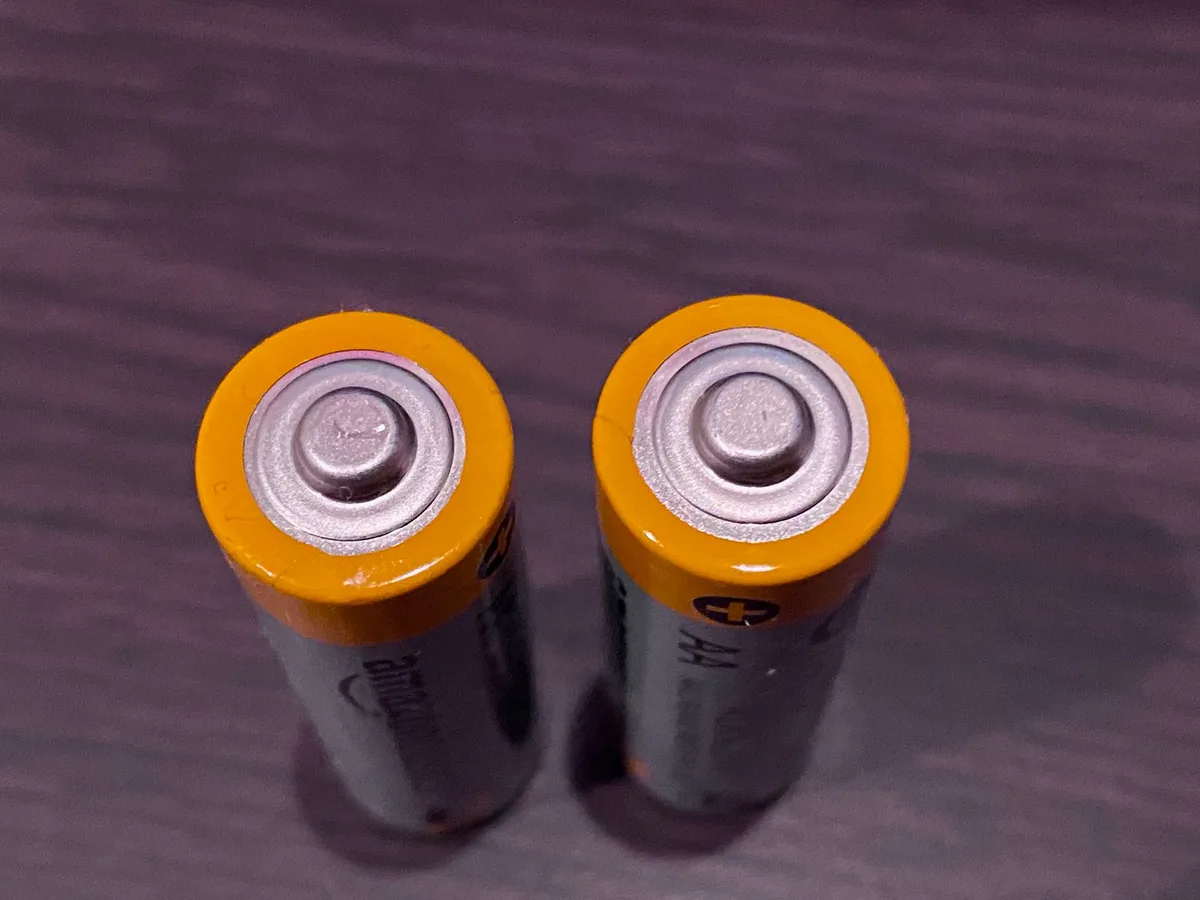
Image source: Pexels / Simon Gough (Pexels License)
Power Cycle, The Old Reliable
Turn the thermometer off. Then, remove the batteries for about 30 seconds to a minute. Reinsert the batteries and turn it back on.
This is often enough to clear minor errors.
Step 3: The “Real” Reset (Model Dependent)
If the quick fixes don’t work, it’s time for a more thorough reset.
Finding That Tiny Reset Button
Some digital thermometers have a small, recessed reset button. You’ll usually need a paperclip or a SIM card tool to press it. Check the back or sides of the unit.
Hold it for 3-5 seconds.
Removing Batteries for a Full Reset
For many models, especially those without a dedicated reset button, removing the batteries for an extended period is the way to go. Leave them out for at least one minute, or sometimes even up to five minutes, to ensure all residual power drains. This forces a complete system refresh.
Specific Brand Reset Procedures (If Known)
Check your thermometer’s manual or the manufacturer’s website. Some brands, like ThermoWorks, provide specific instructions for their models that might involve a button combination. For example, some models might require you to press and hold the “Power” and “Unit” buttons simultaneously while reinserting batteries.
Common Mistakes When Resetting Your Thermometer
Even a simple reset can go wrong if you’re not careful. Avoiding these common slip-ups will save you frustration and help get your thermometer working again faster.
- Forgetting the Batteries: You can’t reset a device without power. Always start by ensuring your batteries are fresh or that you haven’t accidentally removed them without reinserting them after the reset period.
- Pressing the Wrong Buttons: If your model has multiple buttons, pressing the wrong one can sometimes change settings instead of triggering a reset. Always refer to your manual or online support for the correct button or button combination.
- Not Reading Your Manual: Every thermometer is a little different. What works for one model might not work for another, especially with specialized features. The manufacturer’s manual is your best bet for precise reset instructions tailored to your specific device.
When a Reset Isn’t Enough (Next Steps)
Sometimes, even after a reset, your meat thermometer might still not be behaving. That’s usually a sign that the problem is a bit more serious than a simple software glitch.
Is it Time for a Calibration Check?
Many digital meat thermometers can drift out of calibration over time, especially if they’ve been dropped or exposed to extreme temperatures. While most home users can’t easily recalibrate them, some higher-end models offer user-accessible calibration modes described in their manual. If your thermometer consistently reads too high or too low compared to a known accurate reference (like boiling water, which is 212°F or 100°C at sea level), recalibration might be needed.
When to Consider a New Thermometer
If a reset doesn’t fix the issue, and recalibration isn’t an option or doesn’t solve the problem, it might be time to invest in a new thermometer. Devices that are several years old or have suffered physical damage are more prone to permanent failure. For food safety as of 2026, ensuring your cooking temperatures are accurate is paramount.
A budget-friendly digital instant-read thermometer can be purchased for under $25, while more advanced models can range from $50 to over $100.
Keeping Your Thermometer in Top Shape
Proper care ensures your meat thermometer remains dependable for countless meals. After any reset, or even if it’s working perfectly, basic maintenance is key. This prevents future issues and prolongs the life of your device.
Basic Care and Cleaning
Always clean the probe after each use. Use warm, soapy water and a soft cloth. For digital units, never submerge the main body in water.
Wipe down the casing and buttons to remove grease or food residue. Proper cleaning means your thermometer will be ready for action every time.
Preventing Future Glitches
To avoid needing frequent resets, be mindful of how you store your thermometer. Keep it away from extreme heat or cold when not in use. Avoid dropping it, as physical impact can damage delicate internal components.
Store it in a dry place, perhaps in its original casing or a protective sleeve. Regular battery checks also prevent sudden malfunctions.
Frequently Asked Questions
How do I know if my meat thermometer is broken?
If your thermometer consistently shows inaccurate temperatures, displays error messages, fails to turn on, or its buttons are unresponsive, it might be broken. A simple reset usually fixes minor glitches. If a reset doesn’t work, and the device is old or damaged, it may need replacement.
Can I use any tool to press a reset button?
Yes, you can typically use a straightened paperclip, a SIM card ejector tool, or a fine-tipped object to press a recessed reset button. Just be careful not to apply too much force, which could damage the button or the casing.
What’s the difference between a reset and a recalibration?
A reset typically clears temporary software glitches and returns the device to a default operational state. Recalibration, on the other hand, adjusts the thermometer’s internal settings to ensure its temperature readings are accurate against a known standard. Resets fix errors; recalibration ensures accuracy.
How often should I replace my meat thermometer?
This depends heavily on usage, care, and quality. A well-maintained digital thermometer might last 5 years or more. Cheaper models may need replacing every 1-3 years.
If you notice consistent inaccuracies that a reset or recalibration can’t fix, it’s time for a new one.