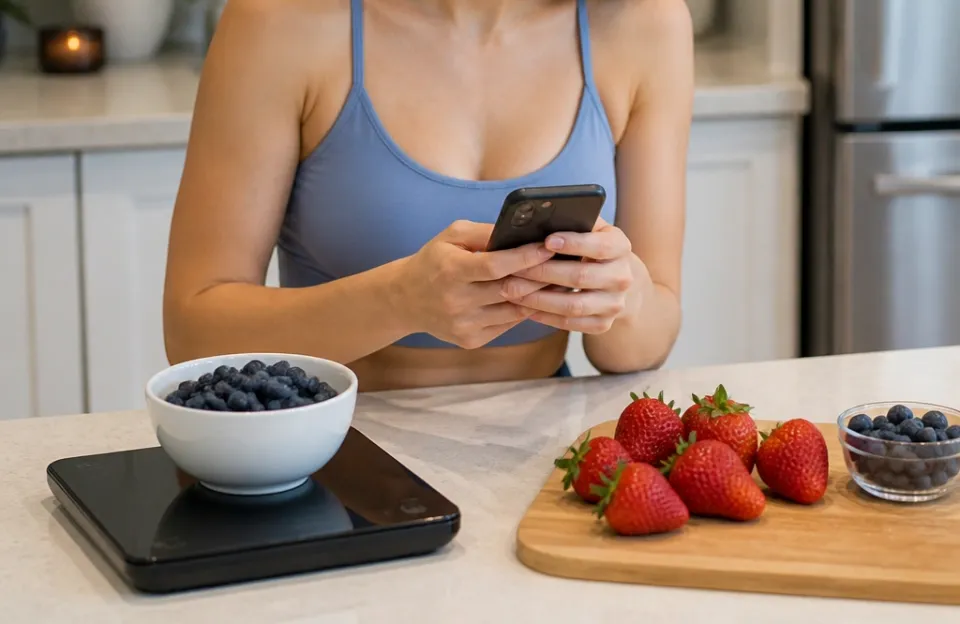
Food scales that sync with MyFitnessPal send weight data from the scale to your phone over Bluetooth, then push that number directly into the app's food diary. The connection relies on a companion app running in the background. You weigh an item, the scale transmits the grams or ounces to the app, and the app matches that weight to a specific food entry in the MyFitnessPal database.
This process removes manual typing. When you understand how food scales that sync with MyFitnessPal work, tracking meals gets faster. You still have to pick the right food from a list, and the math depends entirely on the database entry being accurate.
This article covers the exact steps of that data transfer, the wireless protocols involved, where the system breaks down, and what happens behind the screen when you place something on the platform.
How the Data Moves From the Scale to Your Diary
The journey starts with a load cell inside the scale. A load cell is a small metal component that bends slightly when you put weight on it. That physical bend changes electrical resistance.
The scale's internal circuit reads that change and converts it into a digital number representing grams or ounces.
Once the number exists digitally, a tiny Bluetooth chip inside the scale broadcasts it. Most kitchen scales use Bluetooth Low Energy, often called BLE. This protocol sends very small packets of data using almost no battery power.
The scale doesn't connect to the internet on its own. It only talks to whatever phone or tablet is paired with it.
Your phone receives that broadcast through a companion app. Brands like Greater Goods, Etekcity, and Drop each make their own software. That app acts as the middleman.
It takes the raw weight from the scale and attaches it to a food item you select on your screen. After you confirm the food type, the companion app uses MyFitnessPal's application programming interface, or API, to write the entry into your daily log. Under Armour, the company that owns MyFitnessPal, maintains the official developer portal that allows these third-party apps to talk to their servers.
The entire chain looks like this: load cell, Bluetooth chip, companion app, API, MyFitnessPal server. If any single link drops, the number never reaches your diary.
Why Bluetooth Low Energy Is the Standard
Bluetooth Low Energy handles small, frequent transfers better than standard Bluetooth. A food scale only needs to send a few bytes at a time. It doesn't stream audio or video.
BLE wakes up, pushes the weight data, and goes back to sleep. This keeps the scale running for months on standard batteries.
Standard Bluetooth would drain those same batteries in days. It also requires a longer pairing process. BLE pairs almost instantly once the devices recognize each other.
That speed matters when you're weighing five different ingredients for a recipe and don't want to wait for a connection light to blink green every time.
The Companion App Does the Heavy Lifting
The scale itself has no idea what you are weighing. It only knows you placed 142 grams of mass on its surface. The companion app gives that number context.
You have to tell the app whether those 142 grams are chicken breast, white rice, or cheddar cheese.
Some apps try to guess based on recent entries. Others give you a search bar tied to the MyFitnessPal database. Once you tap the correct food, the app calculates the calories, protein, fat, and carbohydrates based on the weight.
It multiplies the nutritional values per 100 grams by your actual weighed amount. Then it formats that data into a package the MyFitnessPal API accepts.
Without the companion app, the scale is just a regular digital display. The software is what makes food scales that sync with MyFitnessPal different from a basic $15 model at the grocery store.
The Difference Between Direct Sync and API Handoffs
Not all connections work the same way. Some scales claim they sync with MyFitnessPal, but the path the data takes varies. Understanding this difference prevents frustration when numbers don't show up where you expect them.
A direct sync means the companion app writes straight to your MyFitnessPal diary the moment you confirm the food. You see the entry appear in real time. Apps built specifically for fitness tracking usually do this.
They require you to log into your MyFitnessPal account inside their settings menu so they hold an active authorization token.
An API handoff works differently. The scale sends the weight to its own brand-specific app. That app logs the food internally.
Later, it pushes a batch of data to MyFitnessPal, sometimes with a delay. Or it might require you to open the MyFitnessPal app manually and pull the data in from a connected devices menu.
| Connection Type | Speed | Reliability | Setup Effort |
|---|---|---|---|
| Direct Sync | Real-time | High | Requires login inside companion app |
| API Handoff | Delayed or manual | Moderate | Requires linking accounts in both apps |
| Apple Health Bridge | Depends on sync cycle | Variable | Requires permissions in three separate apps |
Many users route their data through Apple Health or Samsung Health first. The scale app writes to the phone's native health hub. The health hub then shares that data with MyFitnessPal.
This adds another step where information can get lost or formatted incorrectly. If you want the most reliable experience, look for a scale whose companion app connects to MyFitnessPal directly without forcing you through a third health platform.
Where the Sync Process Breaks Down
Technology fails in predictable ways. Knowing the common failure points saves you from thinking the hardware is broken when it's really a software issue.
The most frequent problem is the Bluetooth connection dropping mid-weigh. This happens if your phone's operating system puts the companion app to sleep to save battery. Both iOS and Android aggressively close background apps.
If the app isn't actively open on your screen when you step on the scale or place food on the platform, the phone might ignore the incoming signal. Keeping the app open on the screen while cooking fixes this.
Another issue is API token expiration. When you link a companion app to MyFitnessPal, it generates a security token. These tokens expire after a set period, often 30 to 90 days.
When the token dies, the app can no longer write to your diary. The scale will still show the weight on your phone, but MyFitnessPal won't receive it. You have to go into the companion app settings, disconnect MyFitnessPal, and reconnect it to generate a fresh token.
Database mismatches cause silent errors. If you weigh 100 grams of flour, but accidentally select "almond flour" instead of "wheat flour" in the app, the sync works perfectly. The technology did its job.
But your calorie count is wrong. The connection only moves numbers. It doesn't verify what is actually sitting on the glass.
If you notice your devices dropping signals frequently, checking how wireless gadgets maintain stable links across different kitchen tools can help you rule out environmental interference from microwaves or thick walls.
Accuracy Limits You Should Know About
A synced scale is only as good as its physical sensors and the database it pulls from. Syncing solves the typing problem. It does not solve the accuracy problem.
Most consumer food scales measure in 1-gram increments. They max out around 5,000 to 11,000 grams. If you are weighing a pinch of salt that weighs 0.4 grams, the scale will likely read zero.
The companion app will then send zero to MyFitnessPal. For macro tracking, this rarely matters. For micronutrients like sodium, it creates blind spots.
The database side carries its own risks. MyFitnessPal relies heavily on user-generated entries. Anyone can create a food item and input whatever nutritional values they want.
If you search for "grilled chicken breast" and pick an entry created by a user who typed the wrong protein count, your synced scale will faithfully record that incorrect number into your diary.
The National Institute of Standards and Technology outlines strict tolerances for commercial weighing equipment, but the inexpensive Bluetooth scales sold for home kitchens fall outside commercial certification requirements. They are generally accurate enough for diet tracking, but they aren't laboratory instruments.
To get the best results, always choose food entries verified by a brand or marked as a standard USDA reference in the MyFitnessPal search results. And occasionally test your scale against a known weight, like a sealed bag of sugar with the printed weight on the label, to confirm the load cell hasn't drifted over time.
Multi-Ingredient Weighing and Recipe Mode
Weighing one item is simple. Weighing a bowl of mixed ingredients introduces complexity to the sync process.
Most companion apps include a tare function. You place a bowl on the scale, press tare, and the app resets to zero. You add oats, log them, press tare again, add milk, and log that.
The scale handles this fine mechanically. The challenge is how the app sends it to MyFitnessPal.
Some apps send each tared ingredient as a separate diary entry. This is the cleanest method. Your diary shows "Oats, 40g" and "Milk, 200ml" as distinct lines.
Other apps group everything under a single recipe entry. They calculate the total macros internally and push one line item to MyFitnessPal labeled "My Breakfast Bowl."
If you use the recipe grouping method, editing individual ingredients later inside MyFitnessPal becomes difficult. You can't easily change just the milk amount without deleting the whole entry. Separate logging takes more taps during the cooking process, but leaves your diary much easier to adjust later.
When dealing with heated ingredients or testing temperatures alongside your weights, keeping track of reliable probe thermometers ensures your cooking data stays consistent across different types of measurements.
Battery Life and Power Management
Bluetooth transmission draws power. Scales that sync constantly will eat through batteries faster than a standalone digital scale that only lights up an LCD screen.
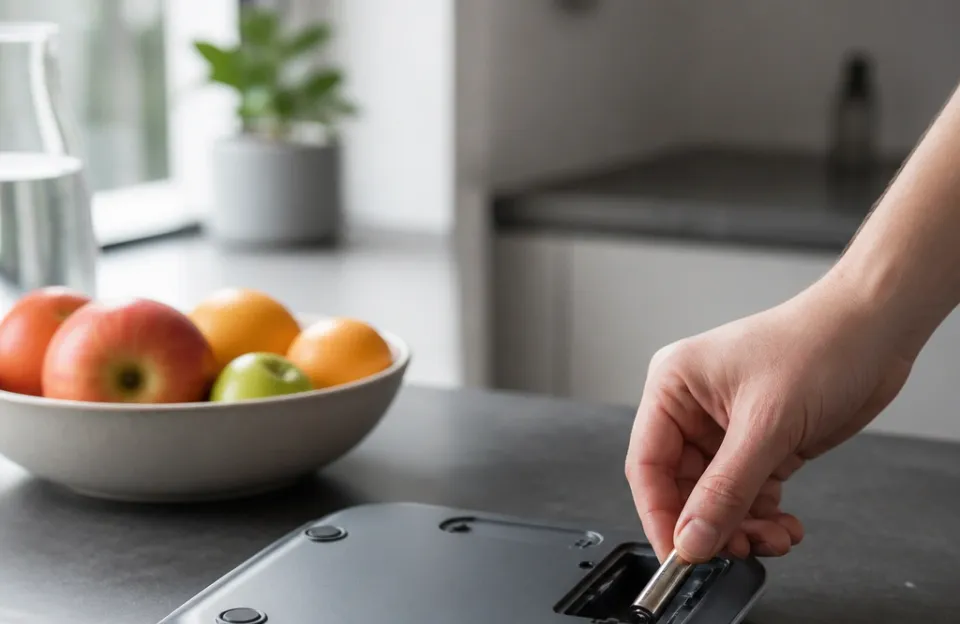
Manufacturers handle this in two ways. Some use standard AAA or coin cell batteries. With BLE, these typically last three to six months depending on how often you cook.
Others build in rechargeable lithium-ion batteries that charge via USB-C. Rechargeable models cost more upfront but remove the ongoing expense of buying replacements.
The companion app also affects battery life. If the app constantly scans for the scale in the background, it drains your phone's battery too. Well-designed apps only listen for the Bluetooth signal when you open them or tap a "connect" button.
Poorly designed apps run continuous scans, which you'll notice if your phone gets warm while sitting in your pocket during meal prep.
Setting Up the Connection Correctly
Getting food scales that sync with MyFitnessPal working requires following a specific order of operations. Skipping steps causes pairing failures.
- Download the scale manufacturer's companion app before taking the scale out of the box.
- Create an account in the companion app if required.
- Go to the app's settings and find the integrations or connected apps section.
- Select MyFitnessPal and log in with your MyFitnessPal credentials when prompted.
- Grant the requested permissions. The app needs read/write access to your food diary.
- Turn on Bluetooth on your phone.
- Insert batteries into the scale or turn it on.
- Follow the app's pairing instructions to link the scale to your phone.
- Place an item on the scale to test the live data feed in the app.
- Search for that food item, confirm the weight, and check your MyFitnessPal diary to verify the entry arrived.
If the entry doesn't appear, force-close both the companion app and MyFitnessPal, reopen them, and try again. Sometimes the initial authorization handshake between the two servers hangs on the first attempt.
For cooks who rely on fast readings while juggling multiple pans, pairing a smart scale with quick-response temperature probes keeps the workflow moving without waiting for slow hardware to catch up.
Privacy and Data Sharing
Connecting a scale to MyFitnessPal means sharing data across companies. The scale manufacturer sees what you weigh and when. MyFitnessPal sees the data coming from a third-party device.
Read the privacy policy of the companion app. Some brands sell aggregated dietary data to research firms or advertisers. The data is usually anonymized, stripping your name and email, but your eating habits become part of a larger dataset.
If this concerns you, look for brands that explicitly state they do not sell user data, or use a scale that stores recipes locally without pushing them to cloud servers.
You can revoke access at any time. Inside the MyFitnessPal app settings, there is a section for authorized third-party apps. Removing the companion app from that list immediately stops data transfer, even if the scale remains paired to your phone via Bluetooth.
Frequently Asked Questions
Can I use a smart food scale without the MyFitnessPal app?
Yes. Every Bluetooth food scale functions as a normal digital scale. The LCD screen on the base displays the weight regardless of whether your phone is nearby or the app is installed.
You lose the automatic logging, but the hardware still measures accurately.
Do food scales that sync with MyFitnessPal work with Android and iPhone?
Most major brands support both operating systems. The companion app must be available in both the Apple App Store and the Google Play Store. Check the specific scale's product page before buying, as some smaller manufacturers only develop for one platform due to budget constraints.
Why does my scale show the weight on my phone but not in MyFitnessPal?
This almost always points to a broken API link. The Bluetooth connection between the scale and the phone is working, which is why the companion app displays the number. But the authorization token connecting the companion app to MyFitnessPal has expired or been revoked.
Re-link the accounts in the companion app settings to fix it.
Will syncing my scale drain my phone battery quickly?
It shouldn't, provided the companion app uses Bluetooth Low Energy correctly. If you notice heavy battery drain, the app might be scanning continuously in the background. Check your phone's battery usage settings.
If the companion app sits near the top of the list, restrict its background activity in your phone's operating system settings.
Can two people use the same Bluetooth scale for different MyFitnessPal accounts?
Yes, but not simultaneously. The scale pairs to one phone at a time. If you share a scale with a partner, one person needs to unpair the scale from their phone before the other person's companion app can discover and connect to it.
Some apps allow multiple profiles on one phone, routing data to different accounts based on who is logged in.
Are the nutrition facts sent by the scale guaranteed to be correct?
No. The scale only provides the physical weight. The nutritional facts come from whichever MyFitnessPal database entry you select.
If you pick an inaccurate user-submitted entry, your logged macros will be wrong. Always verify the source of the food entry within the app before confirming the sync.
Before You Start Weighing Everything
Understanding how food scales that sync with MyFitnessPal work removes the mystery from the setup process. The hardware is simple. A load cell measures weight, and a Bluetooth chip broadcasts it.
The software does the actual work, translating raw grams into logged calories through API connections and database lookups.
Keep the companion app updated. Operating system updates on your phone frequently change how background Bluetooth permissions work, which can break older versions of these apps. And remember that the technology is a tool for reducing friction, not a guarantee of perfect nutrition tracking.
You still need to select the right foods, verify the database entries, and occasionally check that the connection holds.
If you spend a lot of time prepping proteins alongside your produce, having a solid grasp on safe internal cooking temps ensures your meals are tracked accurately and cooked safely. Once you trust the sync process, logging a four-ingredient meal takes seconds instead of minutes. That speed is the main reason people switch to connected hardware in the first place.