When your air fryer buttons stop responding, the cause is often something you can fix in a few minutes. A thin film of cooking oil on a touch surface can block the sensor from reading your finger, a drawer that is not fully closed can trigger a safety interlock that cuts power to the control panel, and an overheated unit may lock out touch input until it cools. A stuck control board can also freeze the controls and clear with a full power cycle. Work through the five fixes below in order, starting with the simplest and safest.
Why Your Air Fryer Buttons Stop Responding
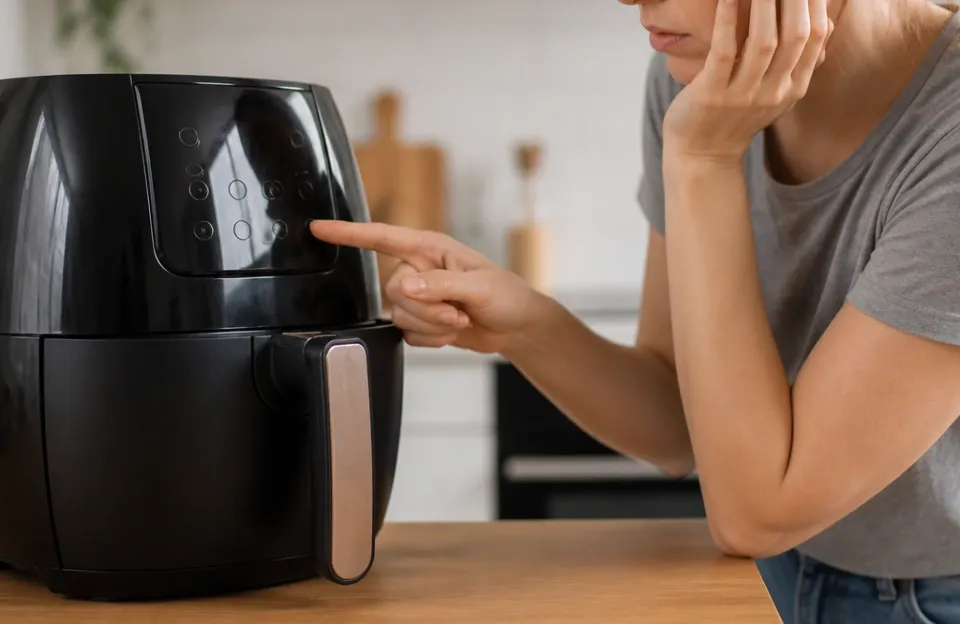
Air fryer touch panels are either capacitive or resistive sensors bonded to a control board. Capacitive panels detect the electrical charge of your finger through the glass, while resistive panels respond to pressure. That difference matters because capacitive panels are especially sensitive to anything on the surface that insulates your finger, including a nearly invisible layer of cooking oil.
Controls can fail in several broad ways. A board can get stuck in an abnormal state after a power surge or a quick unplug-and-replug cycle. Overheating may cause a temporary lockout. A partially closed drawer disables the touch panel on many models as part of the safety system. Physical damage, moisture, or a failed component account for the cases that simple fixes cannot resolve.
One restriction stays constant across brands: most warn against opening the main body, removing the heating element, or immersing the whole unit in water, because moisture inside can damage wiring and create shock risk.
Fix 1: Clean the Control Panel Safely
A greasy, wet, or dirty touch panel is the most common reason air fryer touchscreens stop responding, since a film of oil or moisture blocks the capacitive sensor. Cleaning is the first fix to try, but do it correctly.
- Unplug the air fryer and let it cool completely before touching the control panel. Manufacturer guides for specific models also instruct users to unplug before cleaning and allow the appliance to cool before handling parts.
- Dampen a microfiber cloth with warm water or a mild kitchen degreaser. Wring it out so it is barely moist.
- Wipe the entire panel gently. Do not press hard, because pressure can damage the panel.
- Dry the surface immediately with a clean cloth, and make sure everything is dry before use.
Do not spray liquid directly onto the control surface. Avoid glass cleaners and ammonia-based sprays, which can etch the plastic overlay and permanently reduce sensitivity. Skip wet hands entirely: manufacturer manuals warn against operating the control panel with wet hands.
Fix 2: Reset the Electronics When Controls Freeze
If cleaning does not restore the buttons, the next step is a full power reset. Unplug the air fryer completely and wait five to ten minutes so the internal capacitors can discharge, then plug it back in, wait for the display to settle, and test the controls. A control board can lock up after a power surge or a fast unplug-and-replug cycle, and this reset can clear many software-level glitches at no cost.
Some modern digital air fryers include a built-in reset option in the control panel that resets the unit without unplugging it. Because reset sequences vary by brand, check your manual or the manufacturer’s troubleshooting page for model-specific steps.
Power delivery matters too. Plug the air fryer directly into a wall socket that is not sharing a circuit with other high-draw appliances, and avoid multi-socket adapters during use. Manufacturer instructions for specific models go further and advise against extension cords altogether. Also check that the outlet itself works by testing another small appliance in it.
Finally, reseat the drawer. Remove it fully, check that nothing is caught on the edge, then push it back in until you feel or hear a definite click before testing again. This matters because most air fryers use a safety interlock that cuts power to the heating element and often to the control panel when the drawer or door is not completely closed, so a dead-looking panel may simply be waiting for a properly seated drawer. Model manuals reinforce the same rule: always ensure the drawer is properly closed before operating.
Fix 3: Check for a Child Lock or Panel Lock
A child lock can make a working panel look completely dead. On models that have one, the feature is typically engaged or disengaged by holding down a specific button for a few seconds, and the exact control panel instructions vary by model. A padlock icon on the panel commonly indicates the child lock, and it is usually toggled by holding that button for about three seconds.
Those details come from typical examples rather than a universal rule, so confirm the sequence in your manual or the manufacturer’s support page before concluding the panel has failed. Official troubleshooting resources exist for many brands; Cuisinart, for instance, publishes air fryer manuals and troubleshooting guides on its website.
Fix 4: Inspect for Physical Button or Touchscreen Damage
If the controls still do not respond after cleaning, resetting, and checking the lock, look closely at the panel itself.
- Hairline cracks. A crack in the glass or sensor layer of a touch panel can cause visible damage with partial or no function, and the listed remedy is panel or unit replacement.
- Moisture under the panel. Condensation inside the control area can make the panel respond intermittently or not at all. Leave the unplugged unit in a dry, warm place for several hours rather than using a hair dryer, since concentrated heat can damage the display layer. The same caution applies to steam exposure, which can form droplets beneath the outer plastic.
- Membrane wear. Membrane touch panels can fail through membrane cracking and moisture near the sink.
- Heat damage to the board. Capacitive touch boards can suffer heat damage if the sensor sits too close to the heater. This is an internal fault, not a user-fixable one.
- Mechanical dials. Mechanical air fryer dials can also develop broken knobs, which is a physical fault rather than a software one.
If any of these signs are present, move to the service guidance below instead of attempting a repair yourself.
Fix 5: Rule Out Power and Thermal Cut-Off Issues
Sometimes the buttons are not the problem: the machine has shut itself down or locked itself out for protection.
An overheating air fryer may lock out touch input until the appliance cools, and blocked vents or long cooking cycles can contribute to overheating. If the unit has tripped on heat, wait 20 to 30 minutes with the drawer open in a well-ventilated spot before restarting. Check that the air vent and air outlet are not covered during operation; manufacturer guidance warns that covering them may damage the unit or cause it to overheat.
Also check the power cord and plug for damage. Manufacturer guidance for specific models states the appliance should not be used if the power cord or plug is damaged, and that use should stop immediately if the appliance has been damaged in any way. In that situation, contact the manufacturer rather than continuing to test the buttons.
When to Stop and Seek Service
Everything above is safe for a home user. Internal repairs are a different category.
Before opening an air fryer casing or touching internal components, the unit must be unplugged and allowed to cool completely for at least 30 minutes. Even then, internal work carries real risk. A thermal fuse is a one-time safety device that cuts power to the heating circuit when it detects overheating. Thermal fuses are designed to fail under extreme heat beyond their rating or excess current beyond their rating. Replacing one requires matching the exact temperature rating printed on the original fuse, and a replacement with a higher or lower rating is not recommended; the underlying cause of the failure should also be investigated. The fuse body may sit at the same voltage as the output, so it must be installed insulated, and soldering one without adequate heat sinking can damage or blow the fuse.
Control board failure is the other common service-level fault. It can leave the panel unresponsive even after all resets and checks, and the listed remedy is professional repair. A loose ribbon cable connecting the control panel to the main board is another listed possible cause, with professional repair or replacement as the suggested remedy.
For those reasons, treat internal wiring, fuse, and board work as service tasks. Check your warranty terms before opening the appliance, since DIY work can affect coverage, and contact the manufacturer or a qualified repairer instead.
Repair or Replace? Decision Criteria
If the panel has physical damage or the board is faulty, weigh the repair against replacement using a few practical factors:
- Age and warranty. A unit still under warranty should go through the manufacturer’s service channel first.
- Cost relative to a new unit. A commonly cited rule of thumb is that replacement is the better option when a repair costs more than half the price of a new fryer.
- Nature of the fault. A cracked panel is listed as a panel or unit replacement, not a repair.
- Overall condition. A machine with one fault and an otherwise sound body, basket, and heating element may be worth servicing; one with multiple failures usually is not.
Specific repair prices, part numbers, and warranty terms vary by brand and region, so get a written quote before deciding.
Preventing Future Control Panel Failures
A few habits reduce the chance of a repeat failure:
- Wipe the panel after regular use to prevent the invisible oil film that blocks capacitive sensors.
- Never use glass cleaner or ammonia-based sprays on the overlay.
- Dry all removable parts thoroughly before reassembling to prevent moisture lock.
- Keep the air vent and air outlet clear during operation.
- Ensure the drawer and unit are clean and dry before placing the drawer into the main unit.
- Unplug when not in use and before cleaning, and let the appliance cool before handling parts.
Children should not handle cleaning and maintenance unsupervised; manufacturer manuals state that cleaning and user maintenance shall not be performed by children without supervision, and some specify that children must be older than 8 and supervised.
Getting Your Machine Cooking Again
Start with the cheapest, safest fix: unplug the unit, clean the panel with a barely moist cloth, dry it fully, reseat the drawer until it clicks, and power-cycle for five to ten minutes. If that fails, check for a child lock or a heat lockout before assuming hardware failure. Any sign of cracks, moisture under the glass, or a panel that stays dead after every check means service or replacement, not a DIY opening of the casing. That sequence resolves most unresponsive-button cases, and it keeps the risky work where it belongs: with a qualified repairer.