A nutrition food scale does not measure calories or nutrients directly. It measures the mass of the food, and then its software, or a paired app, looks up a reference nutrient profile for that food (typically expressed per 100 g) and multiplies those values by the weighed portion. Calories, macros and micronutrients therefore come from the database entry, not from the scale itself.
The hardware and the software are two separate systems. The scale turns physical weight into a digital number, and the reference data supplies the nutrition values that get applied to that number. Understanding both sides explains where the figures on your screen come from and why they are always estimates rather than exact measurements.
The Load Cell Converts Physical Weight into Digital Data
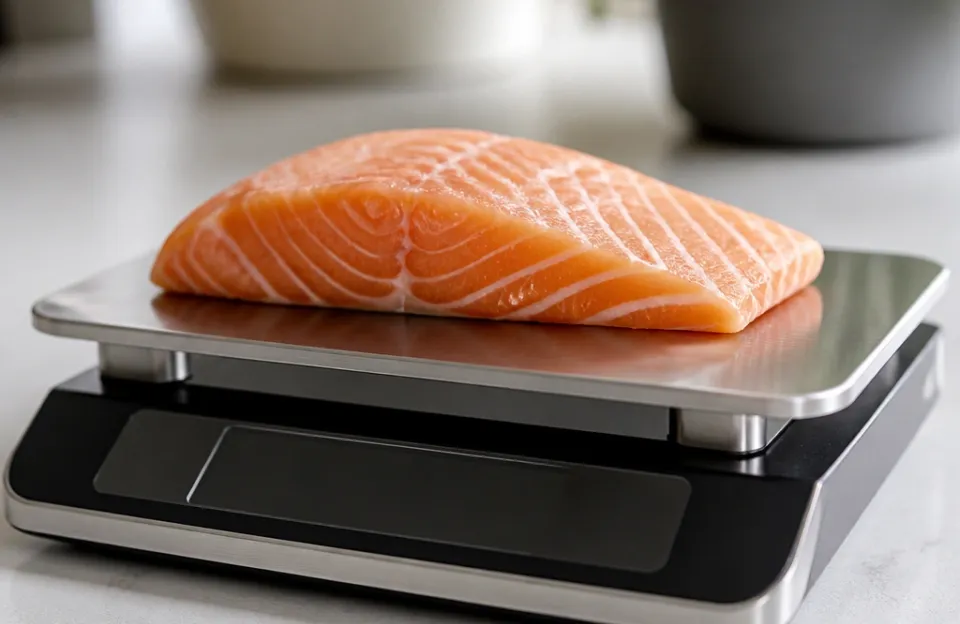
Most digital nutrition scales rely on a load cell, a transducer that converts the mechanical force of weight on the platform into an electrical signal. Many kitchen scales use a single-point load cell under the centre of the platform, or a multiple-point system with a sensor at each corner whose readings are averaged.
Inside the load cell, a strain gauge bends slightly under load, changing its electrical resistance in proportion to the applied force. An analog-to-digital converter reads that change and turns it into a digital reading. The processor then displays the result in grams or ounces.
The accuracy of that reading depends on the quality of the load cell and how well the scale was calibrated. Calibration adjusts a scale so its displayed reading matches a known standard weight, and load cells can drift over time because of temperature changes, mechanical stress, battery levels and normal wear. Placing the scale on a hard, flat surface also matters, since soft or uneven surfaces absorb some of the downward force.
Three measurement terms are often confused. Resolution is the smallest increment the display shows, precision is how consistently the same weight reads the same, and accuracy is how close the reading is to the true weight. A scale with 1 g resolution displays whole grams, while a scale with 0.1 g resolution displays one decimal place. For calorie-dense foods such as oils and nuts, the finer increment leaves less room for error.
How Nutrition Food Scales Calculate Calories Using Reference Databases
The scale does not analyse the chemical composition of your food. It registers a weight, and you tell the software what the food is by selecting an item from a menu, scanning a barcode, or searching a name in a connected app. That input determines which database entry gets used.
Once the food is identified, the rest is multiplication. FoodData Central is an integrated data system that provides expanded nutrient profile data and links to related agricultural and experimental research. Standard entries list nutrients per 100 g, so the software scales them to your portion.
For example, suppose a hypothetical database entry lists a food at 34 kcal per 100 g, and you weigh out 150 g. The calculation is (150 / 100) × 34 = 51 kcal. The same ratio applies to every nutrient in the entry: protein, carbohydrate, fat, fibre, sodium and so on. The example is illustrative only and does not describe a specific real entry.
Where do those baseline values come from? In the United States, most devices pull from USDA FoodData Central, which includes five data types: Foundation Foods, SR Legacy, the Food and Nutrient Database for Dietary Studies, the USDA Global Branded Food Products Database, and Experimental Foods. The branded database holds industry-provided label data for over 350,000 foods.
In the UK, McCance and Widdowson’s Composition of Foods Integrated Dataset (CoFID) consolidates available data on the nutrient content of the UK food supply. Public Health England maintained up-to-date data on the UK food supply to support the National Diet and Nutrition Survey and funds nutrient analysis of foods commonly consumed in the UK.
When you use a smart scale paired with an app, the app does the arithmetic and queries a larger cloud database, which is how branded food lookups by barcode become possible.
Breaking Down Macros: Protein, Fat, and Carbohydrate Math
Macronutrients follow the same multiplication rule, but they also tie back into the calorie figure. FDA permits several ways to calculate calories on a Nutrition Facts label, including specific Atwater factors and the general 4-4-9 factors for protein, carbohydrate and fat.
The general factors assign 4 calories per gram to protein, 4 calories per gram to carbohydrate and 9 calories per gram to fat. Some apps calculate total calories by multiplying weighed protein grams by four, carbohydrate grams by four and fat grams by nine, then adding the results. Others pull the total calorie figure directly from the database entry. Both approaches should land close together, though small differences appear because labels and databases handle rounding differently.
Net carbohydrates require a secondary step: total carbohydrate is listed, dietary fibre is listed separately, and the software subtracts fibre grams from total carbohydrate grams.
Mixed dishes need their own entry. You cannot select “stew” and expect accuracy unless you built that stew in the app first. Recipe building means weighing each ingredient during preparation, logging it, and letting the software divide the totals by the finished cooked weight or the number of servings.
| Calculation Method | How It Works | Best Used For | Accuracy Level |
|---|---|---|---|
| Direct database pull | Multiplies portion weight by stored per-100 g values | Single whole foods (raw chicken, apples, rice) | High |
| Atwater summation | Calculates calories from weighed macro grams (protein × 4, carbohydrate × 4, fat × 9) | Checking total energy against the database figure | High |
| Recipe builder | Aggregates raw ingredients, divides by total cooked weight | Mixed meals, casseroles, soups | Moderate |
| Barcode lookup | Pulls label data for packaged commercial foods | Processed items, boxed meals | High, within label rounding limits |
The accuracy labels in the table describe how closely each method tracks its own reference point, not how close any figure is to laboratory analysis of the specific portion you are eating.
Tare Functions and Why They Matter for Nutrient Accuracy
The tare function zeroes the display with an object, such as a container, already on the scale so that only the ingredient’s weight is shown. The stored tare value is usually reset when the scale turns off. This sounds basic, but failing to tare correctly ruins the math.
Weigh oats in a bowl without taring the bowl and the scale includes the ceramic weight in its calculation. The software applies the oats multiplier to the combined mass, so your logged calories come out far higher than what you actually scooped.
Taring is just as important for liquids and sticky foods. Place the peanut butter jar on the scale, press tare so it reads zero, scoop out what you need, and the negative number shows exactly how much mass you removed. Alternatively, place an empty bowl, tare it, add flour, tare again, and add sugar. Each ingredient is isolated in turn, so the database multiplier only ever applies to the food itself.
Moisture Loss and Cooked Versus Raw Weight Discrepancies
One of the most common sources of confusion is the difference between raw and cooked weight. Water contributes mass but carries no calories, protein, fat or carbohydrate. When you cook food, some of that water evaporates, so the food weighs less while its nutrient content stays essentially the same.
A raw chicken breast that weighs 200 g might weigh considerably less after grilling. If you search “chicken breast” and select the raw entry, you must weigh it before cooking. Weigh the cooked piece against the raw entry and you underestimate protein and calories, because the software assumes the original water volume is still present.
The same principle applies to grains and pasta, which work in reverse. Dry rice absorbs water and becomes much heavier during boiling. Weigh cooked rice against the dry entry and you log more calories than you actually ate.
Always match the state of the food on the scale to the exact state described in the database entry. The serving size on a label reflects the amount people typically eat or drink and is not a recommendation of how much to eat, and all nutrient amounts on a label, including calories, refer to that stated serving size. The same serving-basis logic applies to database entries: the values describe a defined state and portion.
Where the Calculations Fall Short: Limits of Scale-Based Tracking

Nutrition food scales provide useful estimates, but they cannot account for biological variation. A Fuji apple grown in one region has a slightly different sugar and water content than one grown elsewhere. The database provides an average, and your particular piece of fruit may sit somewhere above or below it. Continually added data, foods and sample information support research into attributes that influence the variability of classic nutrients, and increased metadata resolution, such as agricultural data, lets users investigate factors including geographical and agricultural practices that affect the nutritional profiles of foods.
Packaged foods are generally more consistent, because manufacturers formulate to specific recipes and test batches for labelling compliance. Scanning a barcode pulls data tied to that production formula, which makes processed foods easier to track than whole agricultural products. Even then, the label itself may not reconcile exactly: FDA rounding rules use different increments for different nutrients, so calories, fat, sodium, carbohydrate and vitamins do not all follow the same rule. Calories below 5 may be declared as 0, calories up to and including 50 round to the nearest 5, and calories above 50 round to the nearest 10. Because calories are calculated from unrounded nutrient amounts and then rounded, the calorie line may not match a recalculation from the rounded macro lines.
Fat rendering is another gap. Weigh a fatty steak raw, cook it and drain the grease, and you have lost fat calories down the sink. The raw database entry assumes you eat all the fat that was originally present. Selecting a “cooked, lean only” entry narrows that gap but does not eliminate it.
Database entry quality varies as well. Some foods in the 2008 CoFID update were not reviewed or validated in the 2015, 2019 or 2021 updates and are published separately as “old” foods. User-generated entries introduce a further layer of variable quality, since many are submitted without laboratory verification.
Companion Apps and Cloud Databases Expand the Math
Standalone scales with built-in screens usually hold limited databases covering common whole foods and basic staples. Smart scales connect to a phone via Bluetooth and offload the calculation to an app with access to far larger food libraries.
These apps handle housekeeping the hardware struggles with, including brand-specific entries, restaurant preparations and custom recipes. Cloud syncing also handles unit conversion, so a portion weighed in pounds can be logged in grams without manual arithmetic.
Battery life is a practical trade-off. Continuous Bluetooth transmission drains power faster than a simple LCD display, so some users weigh offline and sync later.
Micronutrient Tracking Beyond Basic Macros
The same multiplication works for vitamins and minerals. If the database entry includes iron, calcium, vitamin C or cholesterol, the processor multiplies those values by your weighed portion exactly as it does for protein.
Coverage is the limiting factor. FoodData Central’s data types differ in depth, and some entries carry far more nutrient fields than others. CoFID consolidates a national dataset and periodically corrects individual values, such as vitamin C in watercress and iodine in soya yogurt in the 2021 update. A food whose entry lacks a given micronutrient will show nothing for it, so the coverage of the database, not the scale, determines what you can track.
The scale applies the same weight-ratio formula regardless of whether the value is measured in grams, milligrams or micrograms.
Frequently Asked Questions
Do Nutrition Food Scales Actually Analyse Food Chemically?
No. The scale measures weight using a load cell, and all nutrition data comes from pre-loaded or connected reference databases such as FoodData Central. No chemical breakdown occurs on the device.
Why Do My Calculated Calories Sometimes Differ from the Package Label?
Labels follow rounding rules that vary by nutrient, and calories are calculated from unrounded components before being rounded. If your portion also differs from the stated serving size, the numbers will diverge further.
Should I Weigh Food Before or After Cooking?
Match the state of the food to the entry you select. Choose the raw entry and weigh before cooking; choose the cooked entry and weigh afterwards. Cooking changes water content and therefore weight, not the total calories or macros present.
Can a Scale Track Mixed Dishes Like Soup or Casserole?
Only if you build the recipe in the companion app. Weigh and log each ingredient during preparation, then divide the totals by the finished cooked weight or the number of portions.
Does the Scale Know What Food I Put on It?
No. Standard scales do not recognise food types. You select the item or scan a barcode, and without that input the display is just a weight.
What to Keep in Mind While Tracking
How nutrition food scales calculate calories, macros and nutrients comes down to straightforward arithmetic applied to standardised reference data. The hardware captures mass. The software applies averages drawn from laboratory analysis of sampled foods and from manufacturer label data.
The numbers on screen are good enough to guide decisions, provided you weigh consistently and match raw foods to raw entries. Some variance is unavoidable because food itself varies and labels round to permitted increments. Use the data to spot trends over weeks rather than chasing decimal-point precision on a single meal.