A food scale does not talk to MyFitnessPal directly. It measures weight with a load cell, sends the reading over Bluetooth Low Energy to its own companion app, and that app passes data to MyFitnessPal through an authorized connection or a health-data hub. The scale supplies weight only. Nutrition values come from MyFitnessPal’s food database, so the accuracy of a logged meal depends on both the weight reading and the database entry you choose.
This article follows that chain from the platform under your bowl to the diary entry on your screen, then covers where it breaks, what it can and cannot tell you, and how to set it up and check that it works.
How the Data Moves from the Scale to Your Diary
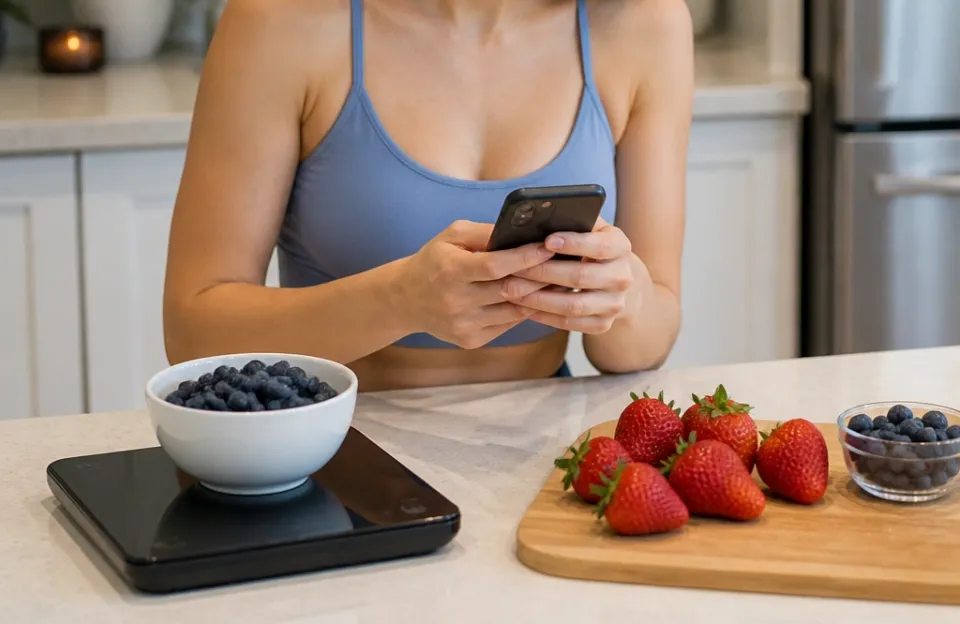
The journey starts with a load cell inside the scale. A load cell is a small metal component that bends slightly when you put weight on it, and that physical bend changes electrical resistance.
The scale’s internal circuit reads the change and converts it into a digital number representing grams or ounces. A small Bluetooth chip inside the scale then broadcasts that number, and it only talks to whatever phone or tablet is paired with it. The scale never has an internet connection of its own.
Your phone receives the broadcast through the manufacturer’s companion app. That app is the middleman: it takes the raw weight and attaches it to a food item you select on screen.
After you confirm the food, the companion app sends the entry toward MyFitnessPal. MyFitnessPal’s developer documentation describes an OAuth 2.0 authorization flow in which the user grants access and the app exchanges an authorization code for access and refresh tokens. Those tokens are what let the app make diary requests on your behalf, and MyFitnessPal notes that every API request must contain a valid access token. MyFitnessPal’s help center lists scale partners as a category of product that updates your weight in the app, and its API documentation includes measurement resources, so weight-related data can be handled through the same authorized connection.
The chain looks like this: load cell, Bluetooth chip, companion app, authorization, MyFitnessPal. If any single link drops, the number never reaches your diary.
Why Bluetooth Low Energy Is the Standard
A food scale sends tiny amounts of data at a time. Bluetooth Low Energy, usually shortened to BLE, is designed for exactly that pattern: short bursts of small packets rather than a continuous stream.
The practical benefits are quick pairing and low power draw, which suits a device that sits on a counter and wakes up only when something lands on it. Exact battery life, range and pairing behavior vary by scale model, so treat any manufacturer estimate as specific to that model rather than a general rule.
The Companion App Does the Heavy Lifting
The scale has no idea what you are weighing. It only knows that 142 grams of mass is sitting on its surface. The companion app gives that number context.
You tell the app whether those 142 grams are chicken breast, white rice or cheddar cheese. Some apps suggest recent entries; others give you a search tied to MyFitnessPal’s database. Once you tap the correct food, the app scales the nutrition values to your weighed amount and prepares the entry in the format MyFitnessPal accepts.
Without the companion app, the scale is a regular digital display. The software is what separates a syncing scale from a basic model.
Direct Sync and Health-Hub Handoffs
Not all connections work the same way. Some scale apps write to MyFitnessPal through their own authorized connection. Others hand data to your phone’s health platform first, and MyFitnessPal picks it up from there.
In the first model, you sign in to MyFitnessPal inside the companion app once, and the app holds the authorization. In the second, the companion app writes to a health hub, and the hub shares the data onward. That extra step adds another place where a setting, permission or sync schedule can interrupt the flow. If you want the shortest path, prefer a scale whose companion app connects to MyFitnessPal directly rather than routing through a third platform.
| Connection Model | Typical Speed | Where It Can Fail | Setup Effort |
|---|---|---|---|
| Direct app connection | Near real time after you confirm the food | Authorization, background app limits | Sign in to MyFitnessPal inside the companion app |
| Health-hub handoff | Depends on the hub’s sync cycle | Permissions in each app, sync schedule | Grant permissions across multiple apps |
The table describes connection patterns rather than any specific product. Check a scale’s current documentation before buying, because app support and integration listings change.
Where the Sync Process Breaks Down
Failures tend to be predictable, and most of them are software issues rather than broken hardware.
The most common is the Bluetooth link dropping mid-weigh. Phone operating systems close background apps to save battery, and if the companion app is not active, an incoming reading may be ignored. Keeping the app open on screen while you cook usually resolves it.
The second is authorization expiring or being revoked. MyFitnessPal’s documentation states that access tokens expire after a period, that a client app can request a new one using the refresh token, and that the refresh token remains valid until revoked by the application or the user. An app that handles refresh correctly should recover on its own; one that does not will stop writing until you reconnect the accounts.
The third is a database mismatch. If you weigh 100 grams of flour but select almond flour instead of wheat flour, the sync works perfectly and your calorie count is still wrong. The connection moves numbers. It does not verify what is on the glass.
Accuracy Limits You Should Know About
A synced scale is only as good as its sensors and the database it pulls from. Syncing solves the typing problem, not the accuracy problem.
On the hardware side, capacity and resolution vary by model, so check the specifications for the scale you own rather than assuming a standard. Small amounts below a scale’s resolution may register as zero, and those fractions matter more for micronutrients than for overall calories.
On the database side, MyFitnessPal describes three tiers of food entries: a best match at the top of your search results, foods with a green checkmark that MyFitnessPal reviewed or added and believes are accurate, and foods without a check that were submitted by a member and have not been reviewed. The database contains over 20 million foods, and MyFitnessPal itself describes food scales, measuring cups and measuring spoons as the most accurate way to log portion sizes. A checkmark signals review, not laboratory measurement, so compare entries when a food has several and prefer the one whose source and serving size match what you actually weighed.
Multi-Ingredient Weighing and Recipe Mode
Weighing one item is simple. A bowl of mixed ingredients adds steps.
Most companion apps include a tare function, so you can place the bowl on the scale, reset to zero, add oats, log them, tare again and add milk. The scale handles this mechanically. What differs is how the app sends it.
Some apps send each tared ingredient as a separate diary entry, which keeps individual lines you can edit later. Others group everything into one recipe entry with combined totals, which is tidier to log but harder to adjust, since changing one ingredient usually means deleting and rebuilding the entry. Separate logging takes more taps while you cook and leaves a diary that is easier to correct.
Battery Life and Power Management
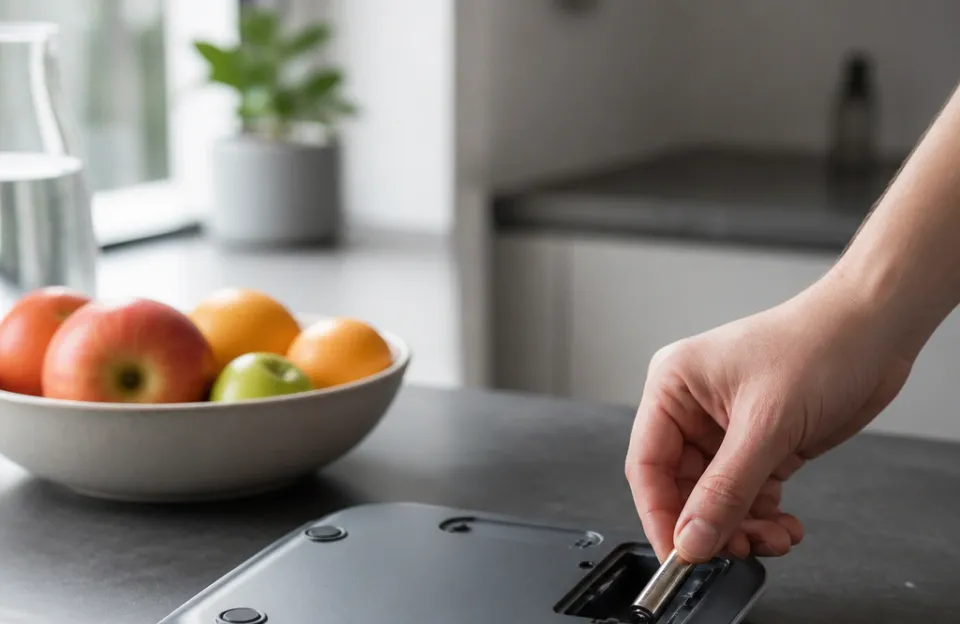
Bluetooth transmission draws power, so a syncing scale will generally use more than a standalone digital scale that only lights up an LCD. How much more depends on the model, how often you cook and how the app manages its radio.
Manufacturers split between replaceable batteries and rechargeable cells charged over USB. The companion app matters too: an app that scans for the scale continuously in the background can drain your phone, while a well-built one listens only when you open it or tap connect.
Setting Up the Connection Correctly
The order of operations matters. Skipping steps causes pairing and authorization failures that look like hardware problems.
- Install the scale manufacturer’s companion app.
- Create an account in the companion app if it requires one.
- Open the app’s settings and find the integrations or connected apps section.
- Select MyFitnessPal and sign in when prompted, granting the permissions the app requests.
- Turn on Bluetooth on your phone.
- Power on the scale and follow the app’s pairing instructions.
- Place an item on the scale and confirm the reading appears in the app.
- Search for that food, confirm the weight, and log it.
- Open MyFitnessPal and check that the entry arrived in your diary.
If the entry does not appear, force-close both apps, reopen them and try again. Menu labels differ between app versions, so if a step does not match your screen, look for the closest equivalent under settings or integrations.
Privacy and Revoking Access
Connecting a scale to MyFitnessPal means data passes between companies. The scale maker handles the weight readings, and MyFitnessPal receives what the companion app sends. Read the companion app’s privacy policy before you connect so you know what is collected and shared.
You can withdraw access. MyFitnessPal’s developer documentation includes a token revocation endpoint, and consumer apps typically expose the same control through a list of connected or authorized apps in settings. Removing the companion app there ends its ability to write to your diary, even if the scale stays paired to your phone over Bluetooth. Exact menu names vary by app version.
Before You Start Weighing Everything
The hardware is simple: a load cell measures weight and a Bluetooth chip broadcasts it. The software does the real work, turning grams into logged calories through authorization and database lookups.
Two habits keep the system honest. Keep the companion app updated, because phone operating system changes to background Bluetooth permissions can break older versions. And verify the food entry you select each time, since the scale contributes the weight and MyFitnessPal contributes the nutrition.
Once the connection is working and you trust both halves, logging a four-ingredient meal takes seconds rather than minutes.